> ## Documentation Index
> Fetch the complete documentation index at: https://docs.interviewflowai.com/llms.txt
> Use this file to discover all available pages before exploring further.
# Language proficiency
> Customize how the AI scores each Candidate's language skills.
InterviewFlowAI scores each Candidate's language skills during the interview. You can adjust the scoring rubric for each Interviewer so it fits the role.
## What the AI scores
The AI rates Candidates on a 1 to 5 scale, from **Poor** (1) and **Below Avg** (2) to **Average** (3), **Good** (4), and **Excellent** (5), across four criteria:
* **Grammar & Syntax**
* **Vocabulary & Expression**
* **Communication Effectiveness**
* **Conversational Flow**
## Customize the scoring rubric
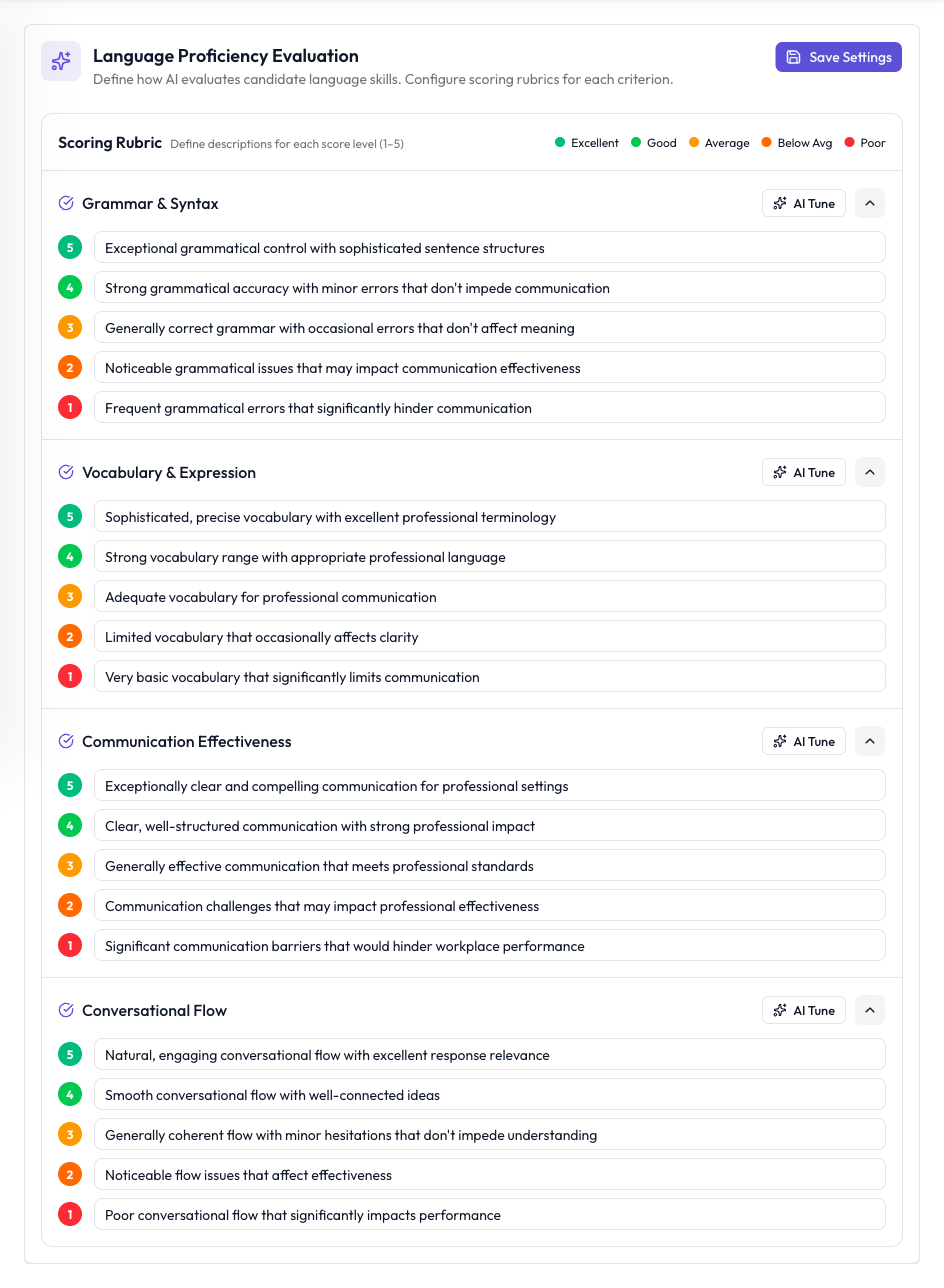 Open your Interviewer and click the **Language** tab.
Under **Scoring Rubric**, each criterion has a description for every score from 1 to 5. Edit any description (up to 300 characters) to describe what that score means for your role.
Click **AI Tune** on a criterion to have the AI rewrite its descriptions to match your job title, role, and job description.
Click **Save Settings**.
A customer support role might need strong conversational flow, while a technical writing role might need precise vocabulary. Tune the rubric so the scores reflect what matters for the job.
This documentation is built and hosted on [Mintlify](https://mintlify.com), a developer documentation platform.
Open your Interviewer and click the **Language** tab.
Under **Scoring Rubric**, each criterion has a description for every score from 1 to 5. Edit any description (up to 300 characters) to describe what that score means for your role.
Click **AI Tune** on a criterion to have the AI rewrite its descriptions to match your job title, role, and job description.
Click **Save Settings**.
A customer support role might need strong conversational flow, while a technical writing role might need precise vocabulary. Tune the rubric so the scores reflect what matters for the job.
This documentation is built and hosted on [Mintlify](https://mintlify.com), a developer documentation platform.