> ## Documentation Index
> Fetch the complete documentation index at: https://docs.interviewflowai.com/llms.txt
> Use this file to discover all available pages before exploring further.
# Greenhouse integration
> InterviewFlowAI's integration with Greenhouse Recruiting allows you to seamlessly add InterviewFlowAI assessments to an Interviewer plan, making it easy to trigger AI interviews directly from your existing hiring workflow.
InterviewFlowAI is an AI-powered interview and assessment platform designed to help companies automate early-stage candidate screening. The platform enables structured, role-specific interviews using conversational AI, allowing teams to evaluate candidates consistently while significantly reducing recruiter and hiring manager time. InterviewFlowAI supports asynchronous AI interviews, customizable question flows, automated evaluation, and detailed candidate reports, helping organizations scale hiring without sacrificing quality.
InterviewFlowAI's integration with Greenhouse Recruiting allows you to seamlessly add InterviewFlowAI assessments to an Interviewer's interview plan, making it easy to trigger AI interviews directly from your existing hiring workflow.
## Retrieve integration key from InterviewFlowAI
1. From the InterviewFlowAI **Dashboard**, click on **ATS Integration**.
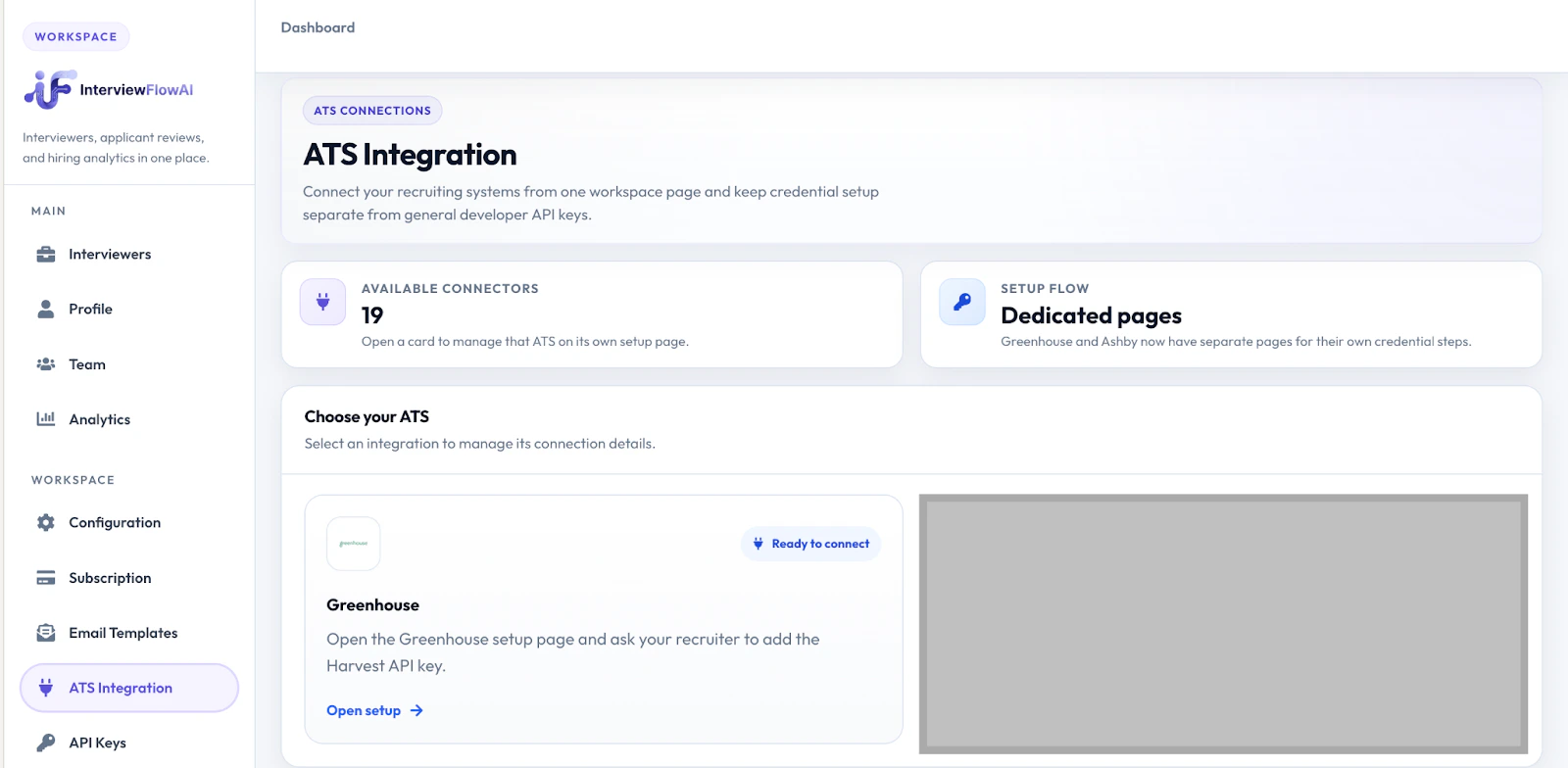 2. Click **Open Setup** below Greenhouse.
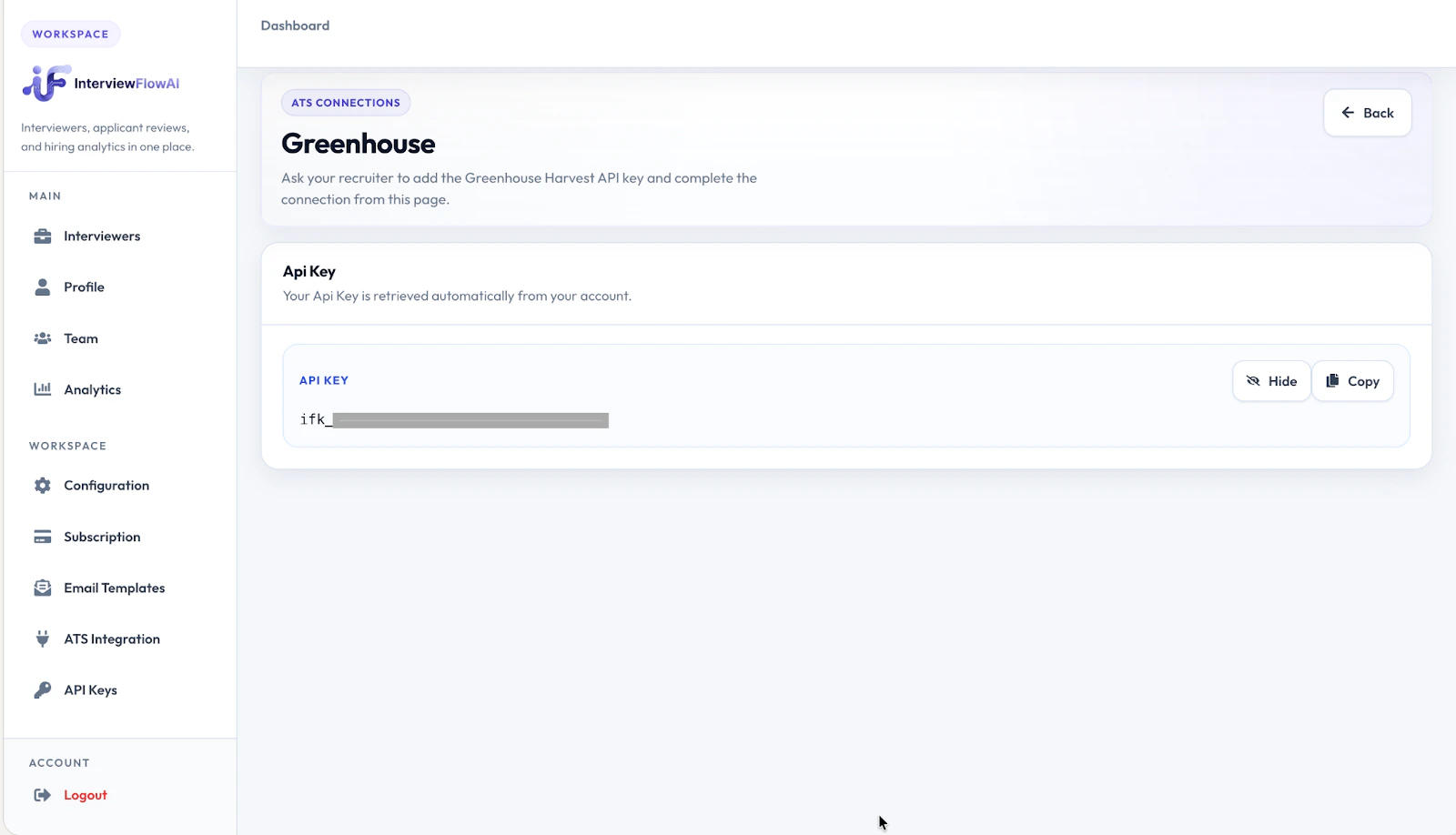 3. Follow the steps in the [Greenhouse Support Article](https://support.greenhouse.io/hc/en-us/articles/5888163696923-Set-up-an-assessment-API-integration) to provide that API key to the Greenhouse technical support team and add the assessment stage in your interview plans.
## Use the integration with Greenhouse Recruiting
Once the InterviewFlowAI integration is enabled for your organization, you are able to add the InterviewFlowAI assessment as an interview stage within any Interviewer's interview plan.
1. Recruiters or coordinators can send an AI interview by clicking the **Send Test** button next to the InterviewFlowAI stage. InterviewFlowAI will automatically deliver the interview instructions and candidate access link.
3. Follow the steps in the [Greenhouse Support Article](https://support.greenhouse.io/hc/en-us/articles/5888163696923-Set-up-an-assessment-API-integration) to provide that API key to the Greenhouse technical support team and add the assessment stage in your interview plans.
## Use the integration with Greenhouse Recruiting
Once the InterviewFlowAI integration is enabled for your organization, you are able to add the InterviewFlowAI assessment as an interview stage within any Interviewer's interview plan.
1. Recruiters or coordinators can send an AI interview by clicking the **Send Test** button next to the InterviewFlowAI stage. InterviewFlowAI will automatically deliver the interview instructions and candidate access link.
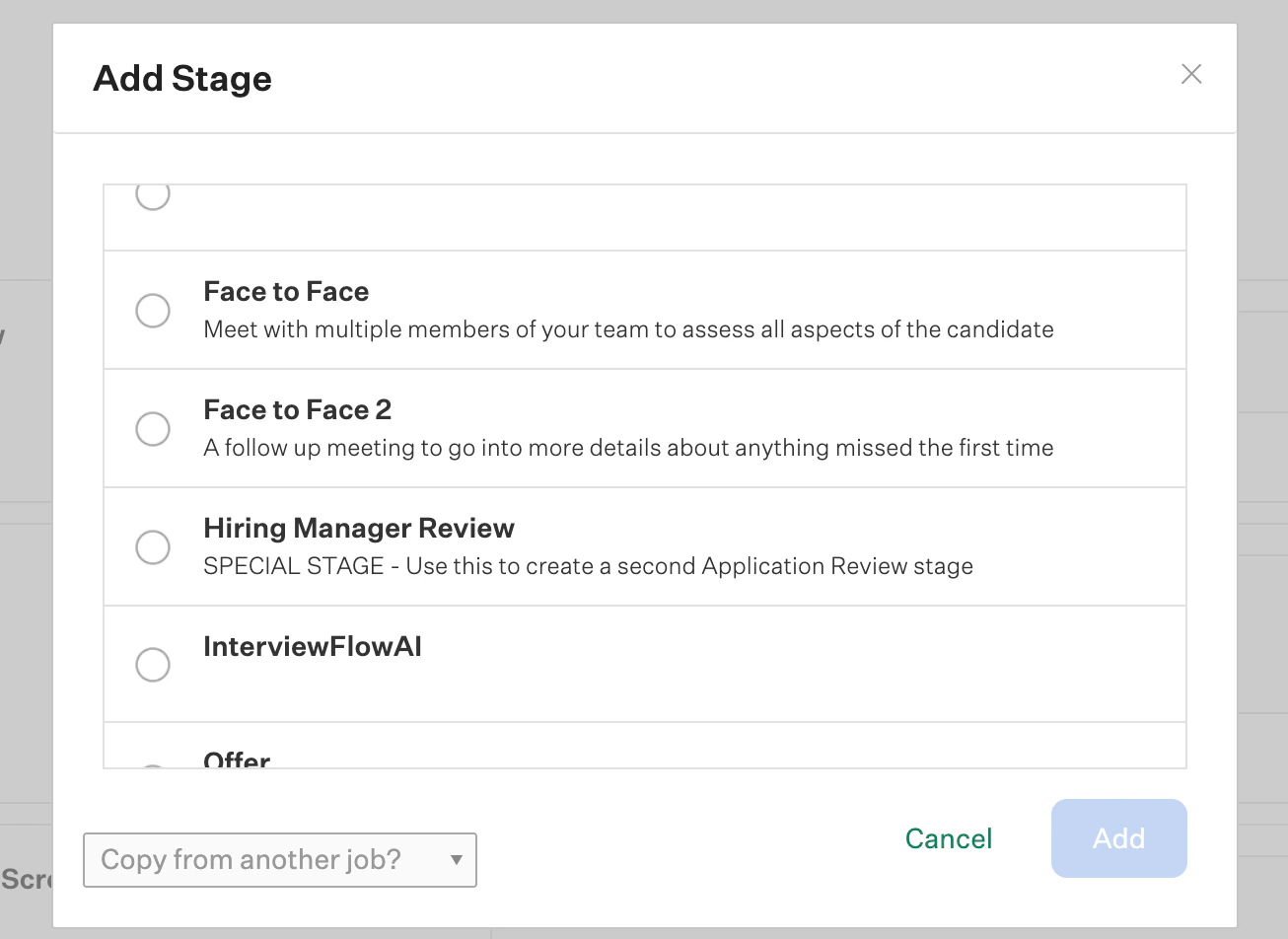 2. After the interview has been sent, the assessment status will be visible directly inside Greenhouse Recruiting. This allows hiring teams to monitor candidate progress without switching platforms.
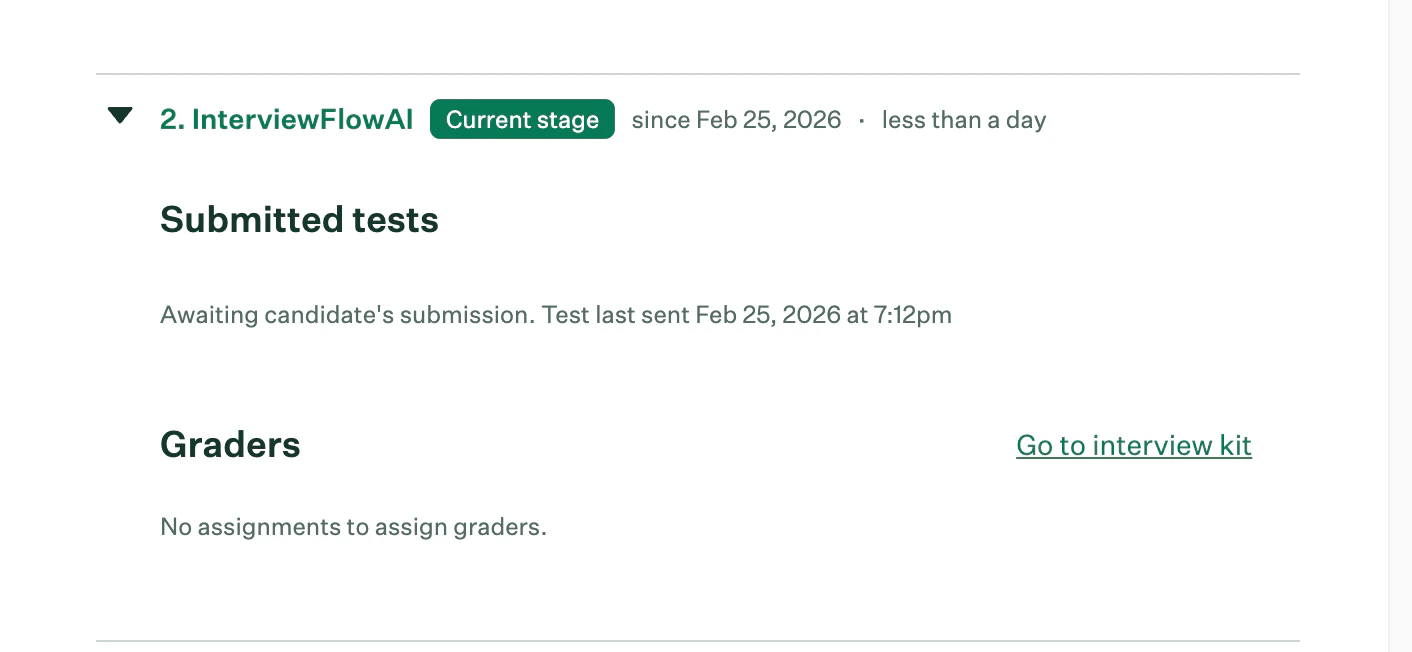 3. Once the candidate completes their AI interview, the Interview Kit will contain a link that directs reviewers to the InterviewFlowAI platform, where the full interview recording, transcript, and evaluation details can be viewed.
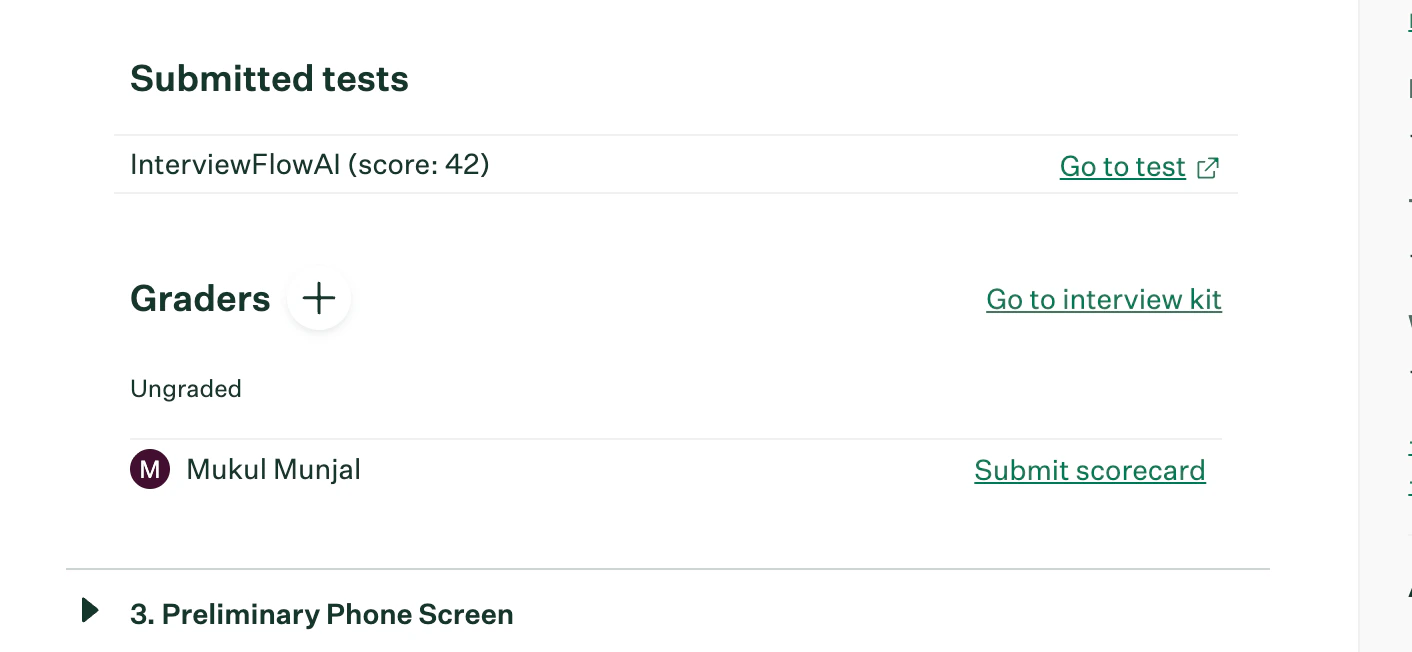 4. To review a candidate's results in InterviewFlowAI, click **Go to test**. The report provides structured insights including responses, AI-generated analysis, scoring (if enabled), and any custom evaluation fields configured by your team.
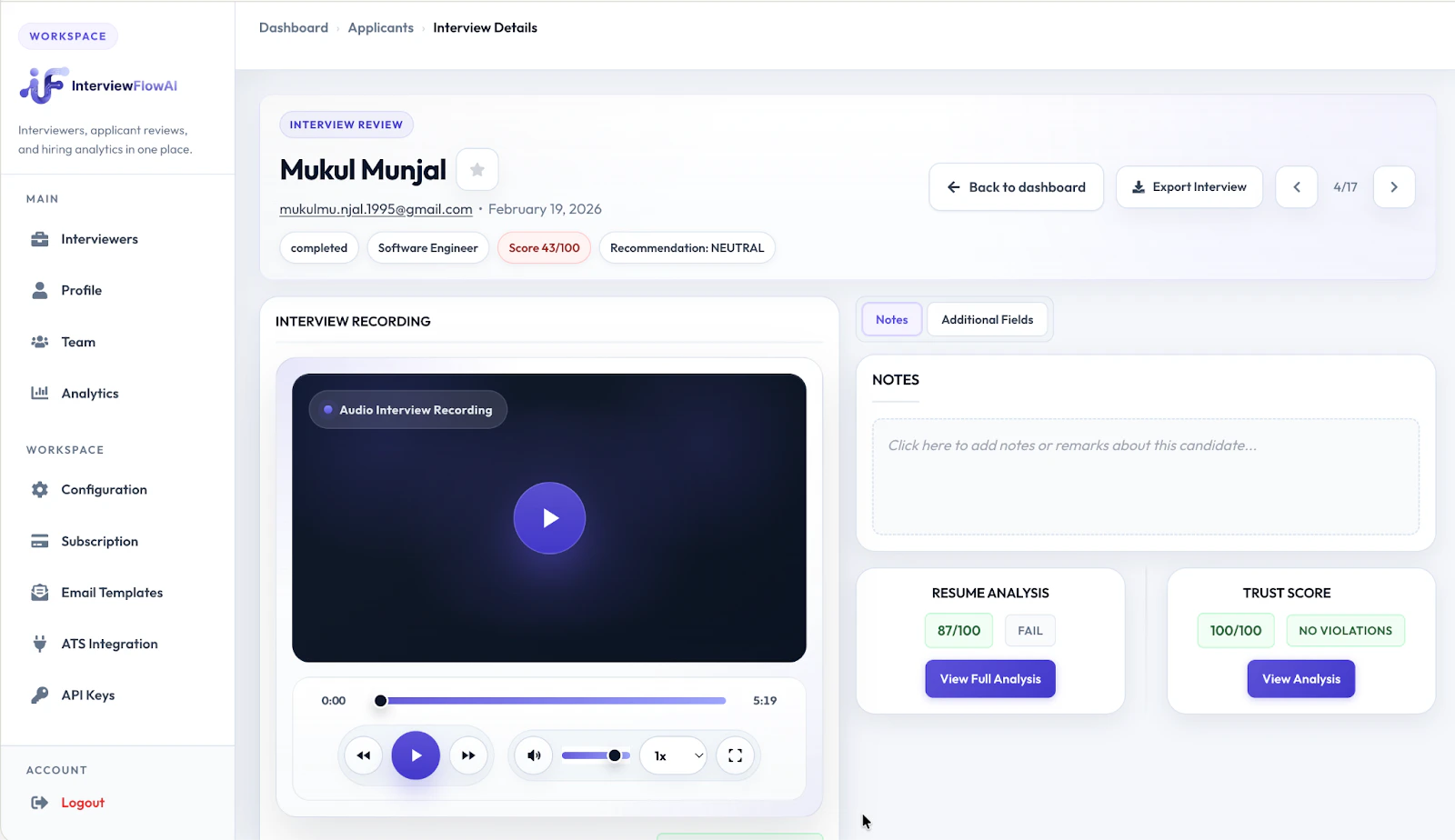
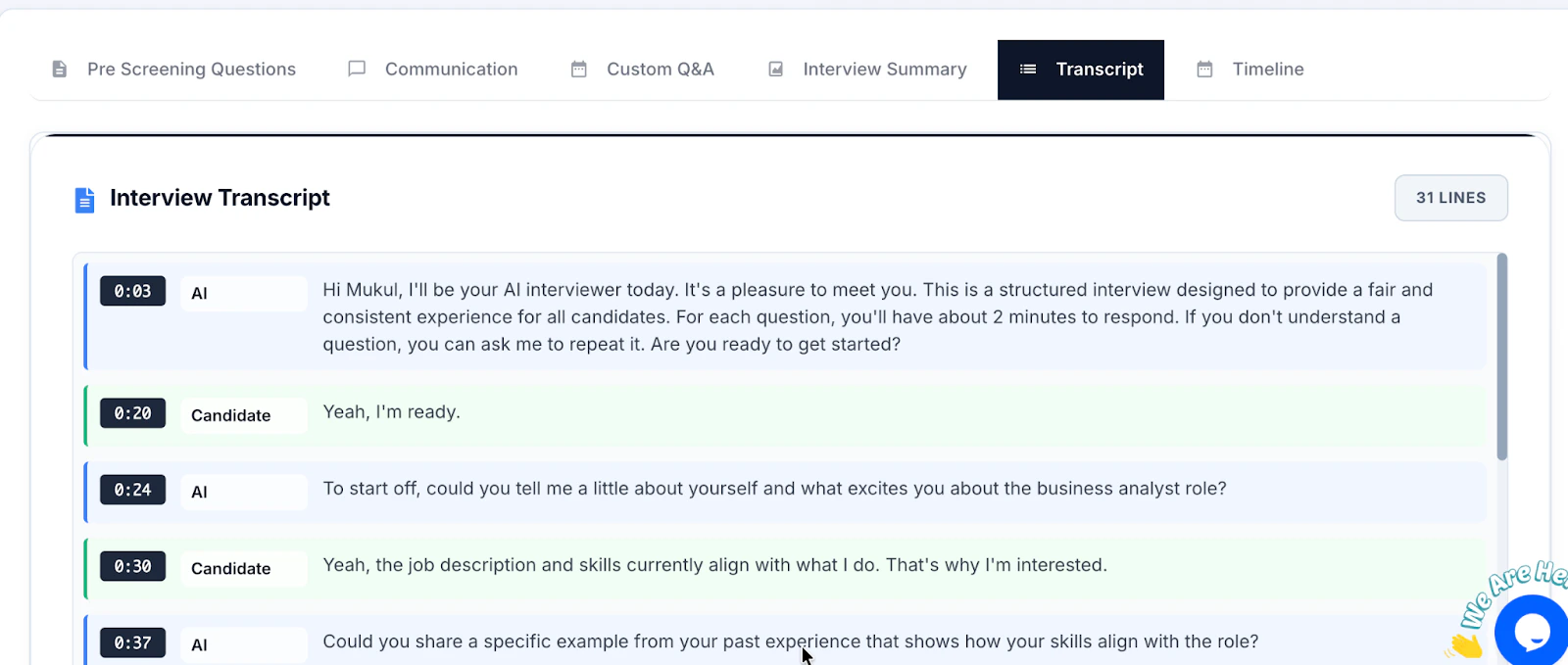 In InterviewFlowAI, results can include:
* Interview recordings and transcripts
* Question-level responses
* AI-assisted evaluation and summaries
* Custom scoring or decision fields
* Reviewer notes (if applicable)
## Additional resources
For additional information not covered here, please contact [support@interviewflowai.com](mailto:support@interviewflowai.com).
In InterviewFlowAI, results can include:
* Interview recordings and transcripts
* Question-level responses
* AI-assisted evaluation and summaries
* Custom scoring or decision fields
* Reviewer notes (if applicable)
## Additional resources
For additional information not covered here, please contact [support@interviewflowai.com](mailto:support@interviewflowai.com).