

Before you start
- Your Company needs an active subscription or trial. If it has expired, the MCP server refuses the connection.
- Each connection can make up to 15 requests per minute. If your assistant goes over the limit, wait a minute and try again.
Choose your MCP client
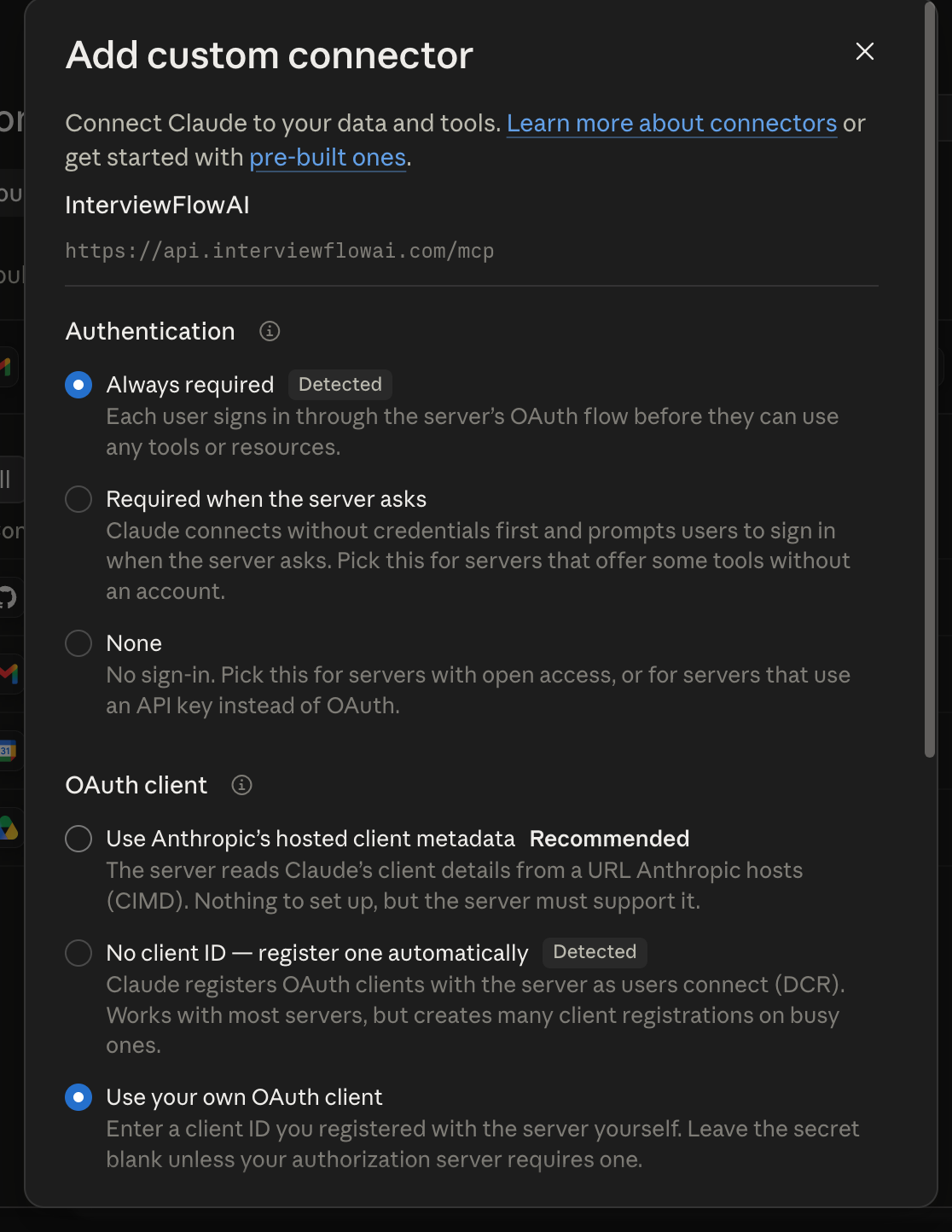
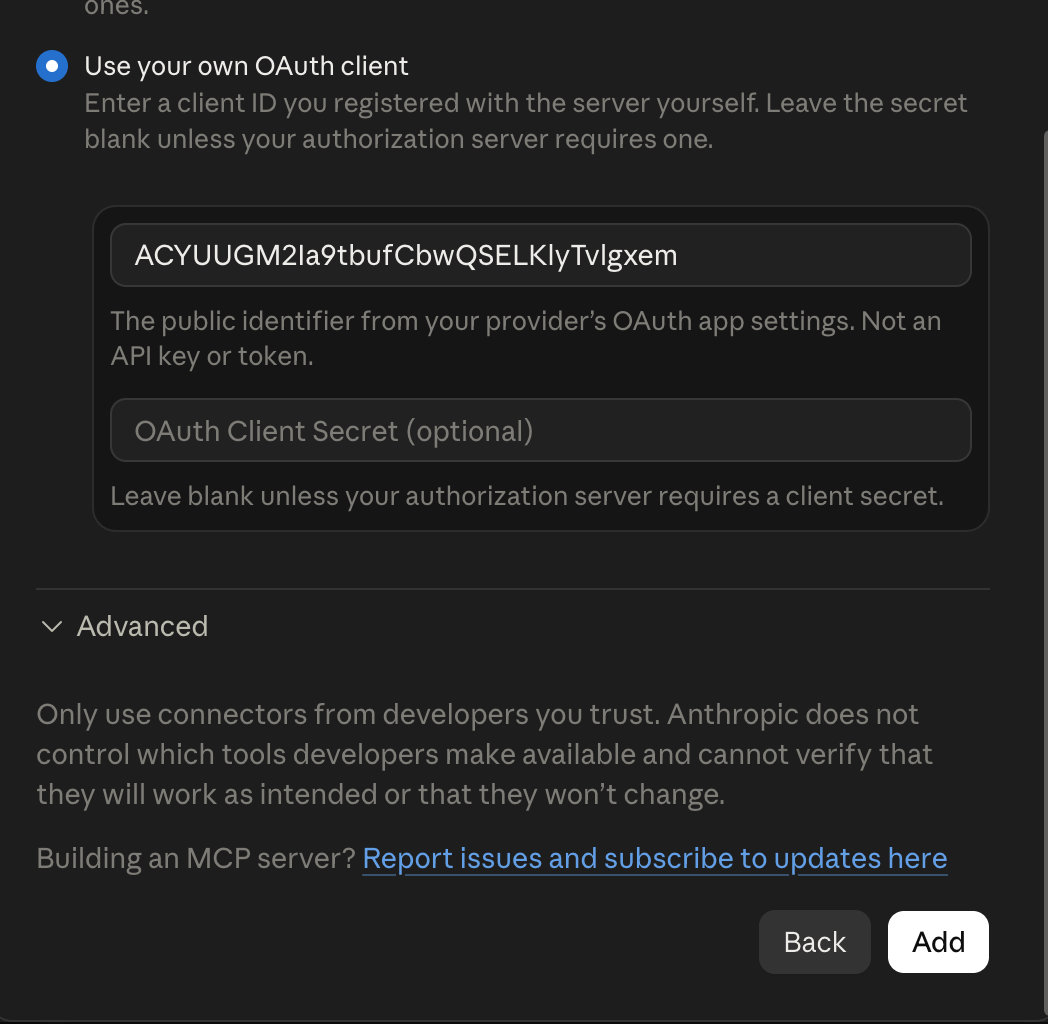
Follow the setup for your client, then sign in with the same email address as your InterviewFlowAI account.- Claude Code CLI
- Claude Desktop
- Codex CLI
- Codex Desktop
1
Add the InterviewFlowAI server
Run this command in your terminal:
2
Authenticate
Start Claude Code, run
/mcp, select interviewflowai, and choose Authenticate.3
Confirm the connection
Run
/mcp again and confirm that the server shows as connected.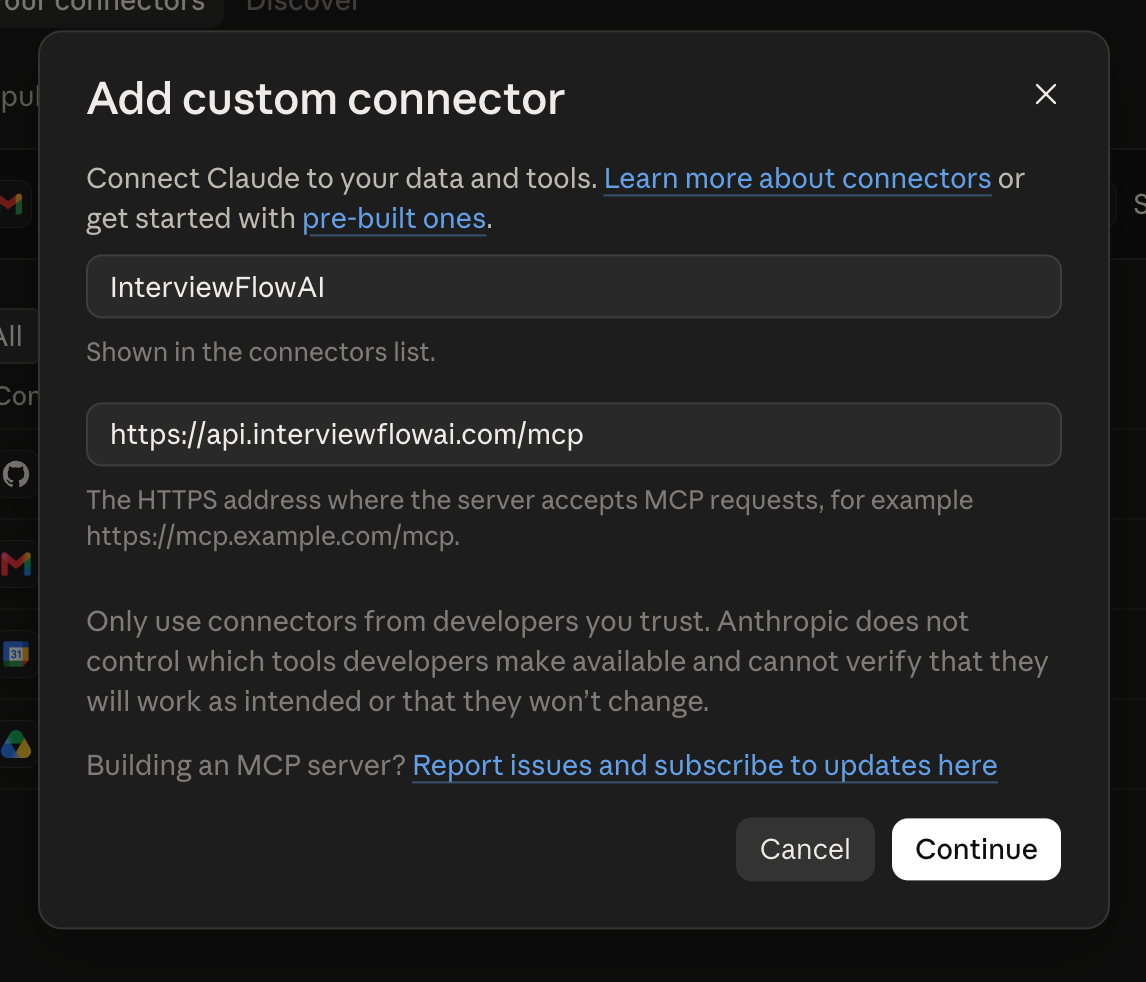
Other assistants
For any other assistant or an API key connection, ask your technical team or support to help you connect.Permissions
Your assistant can list and inspect Interviewers and Candidates. Owners can also update Candidate notes, custom fields, Interviewer visibility, and archived status. Viewers have read-only access. Confirm every write action before you allow your assistant to make a change.Try the connection
Ask your assistant:- “Show me the Candidates who completed the interview.”
- “Show me the top 10 Candidates by interview score.”
- “Show me the Candidates with an interview score of 70 or above.”