

How it works
1
Create an Interviewer
Describe the role, choose settings, and pick questions, or start from a template.
2
Bring in Candidates
Share a public application link, invite Candidates by email, import a CSV, or connect your ATS so Candidates arrive automatically.
3
Candidates take the interview
Each Candidate fills in a short form and talks to the AI Interviewer. No account or download is needed.
4
Review results
Open each report to see scores, a summary, the recording, and the transcript. Then shortlist, decline, or move the Candidate on.
Find your way around the dashboard
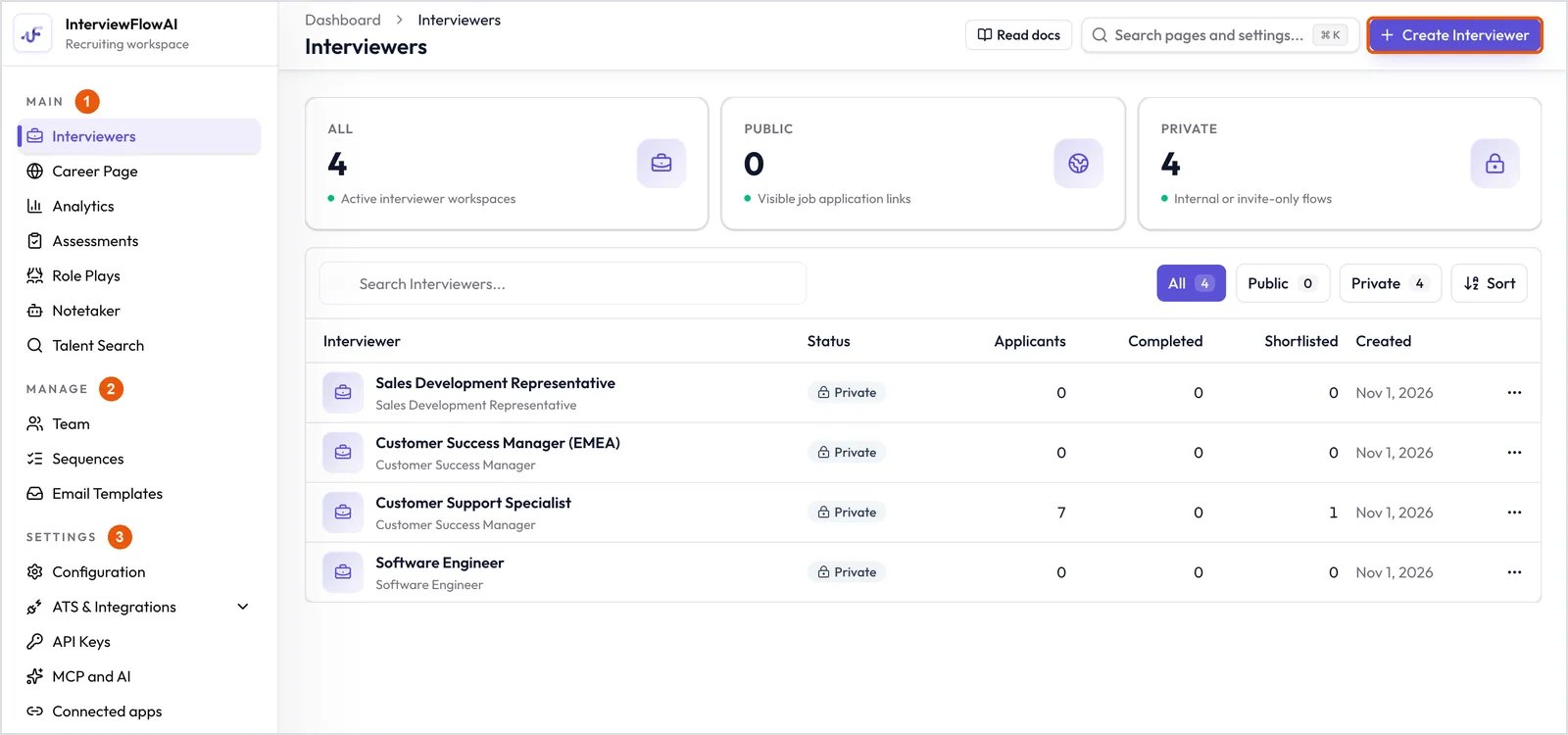
The dashboard. The sidebar groups features into Main (1), Manage (2) and Settings (3).
- Main holds your daily work: Interviewers, Career Page, Analytics, Assessments, Role Plays, Notetaker and Talent Search.
- Manage covers your team and outreach: Team, Sequences and Email Templates.
- Settings covers Company-wide setup: Configuration, ATS & Integrations, API Keys, MCP and AI, and Connected apps.
⌘ K (or Ctrl K) to search pages and settings.
Quick start: your first hire
1
Set up your account
Create your Company profile and choose a plan. See Set up your account and Plans and credits.
2
Invite your team (optional)
Add teammates as Owners or Viewers. See Invite your team and Roles and permissions.
3
Create your first Interviewer
Follow Create an AI Interviewer, or start faster from a template.
4
Invite Candidates
Share the link or send invitations. See Invite Candidates to interview and What the Candidate sees.
5
Review and decide
Read the Candidate report, then manage Candidates through your pipeline.
Choose the right tool
Need help?
- Something not working? See Troubleshooting.
- A Candidate can’t join? See Help Candidates with interview issues.
- Still stuck? Click the chat button in the lower-right corner of the dashboard.