

Before you begin
- Only Owners can buy, upgrade, or manage a plan and change Auto Top-Up.
- You need an active plan or trial to use the dashboard.
Plans
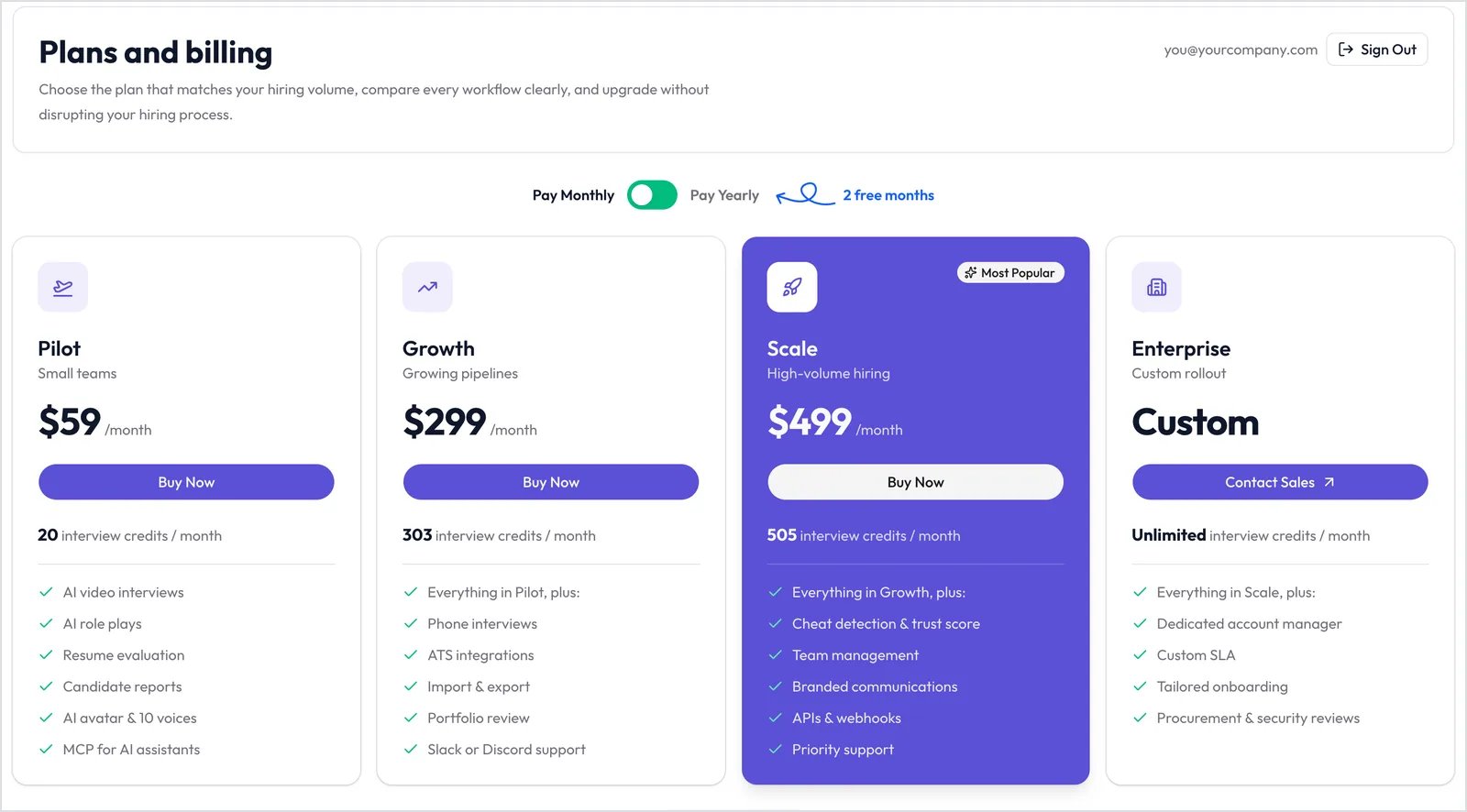
The Plans page. Use the toggle to switch between monthly and yearly billing.
Yearly billing (Pilot is monthly only)
Yearly billing gives you two months free. When your plan renews, its credits are added to your balance.
What each plan includes
Every plan includes AI video interviews, role plays, resume evaluation, Candidate reports, and MCP.
Click Compare features on the Plans page to see the full comparison.
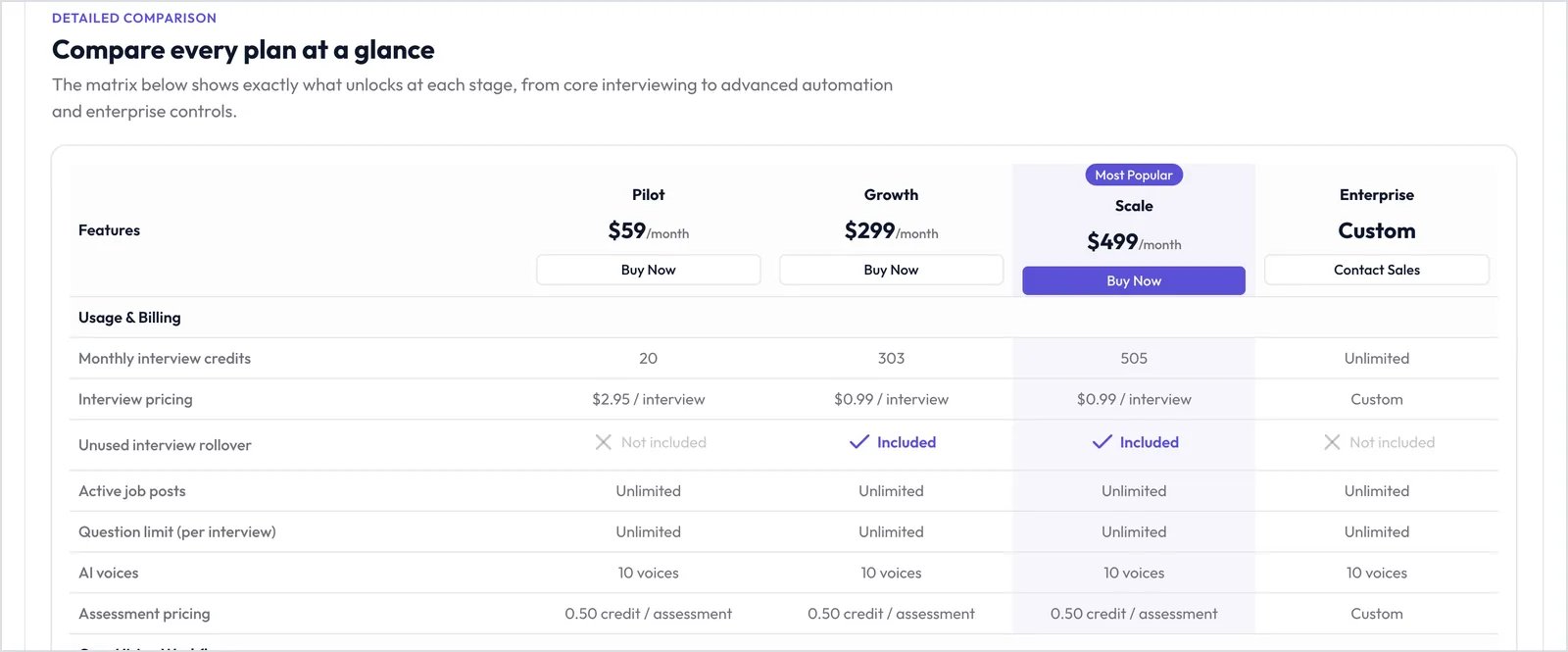
The feature comparison on the Plans page.
What uses credits
- Video interviews are charged for the time the Candidate actually spent. For example, a 17-minute interview uses 2 credits.
- Phone interviews are charged for the full duration you set.
- Retakes you allow are charged again.
Start the free trial
You can try Pilot, Growth, or Scale free for 7 days with 10 credits and the plan’s features.- Sign up with a business email address.
- On the Plans page, click Start 7-day free trial on the plan you want.
- Add your card at checkout.
Manage your plan
Open the account menu at the bottom of the sidebar and click Billing & Plans. The Current Subscription card shows your plan, your Credits Balance, and your next billing date.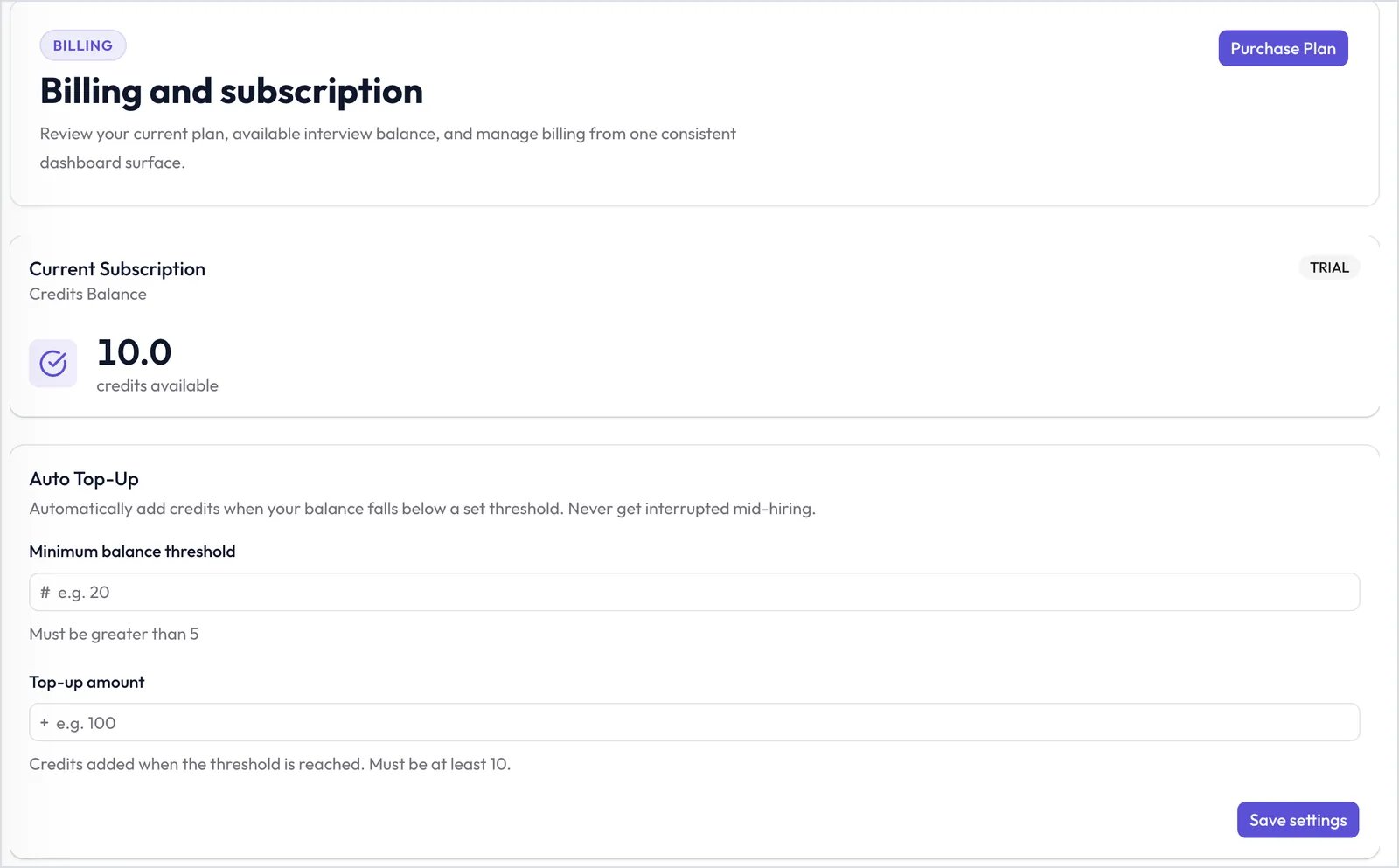
Billing & Plans shows your plan, credit balance, and Auto Top-Up.
- Purchase Plan: buy a plan.
- Activate paid plan: end your trial early and start paying now.
- Upgrade Plan: move to a bigger plan. For Enterprise, click Contact Sales.
- Manage Subscription: update your card, see invoices, or cancel.
Set up Auto Top-Up
Auto Top-Up buys credits automatically when your balance runs low.1
Set the threshold
In Minimum balance threshold, enter the balance that triggers a top-up (at least 5).
2
Set the amount
In Top-up amount, enter how much to add each time (at least 10).
3
Save
Click Save settings.
Track credit usage
The Credits Usage chart shows the credits you used each day. Filter by Interviewer, or pick a date range and click Apply.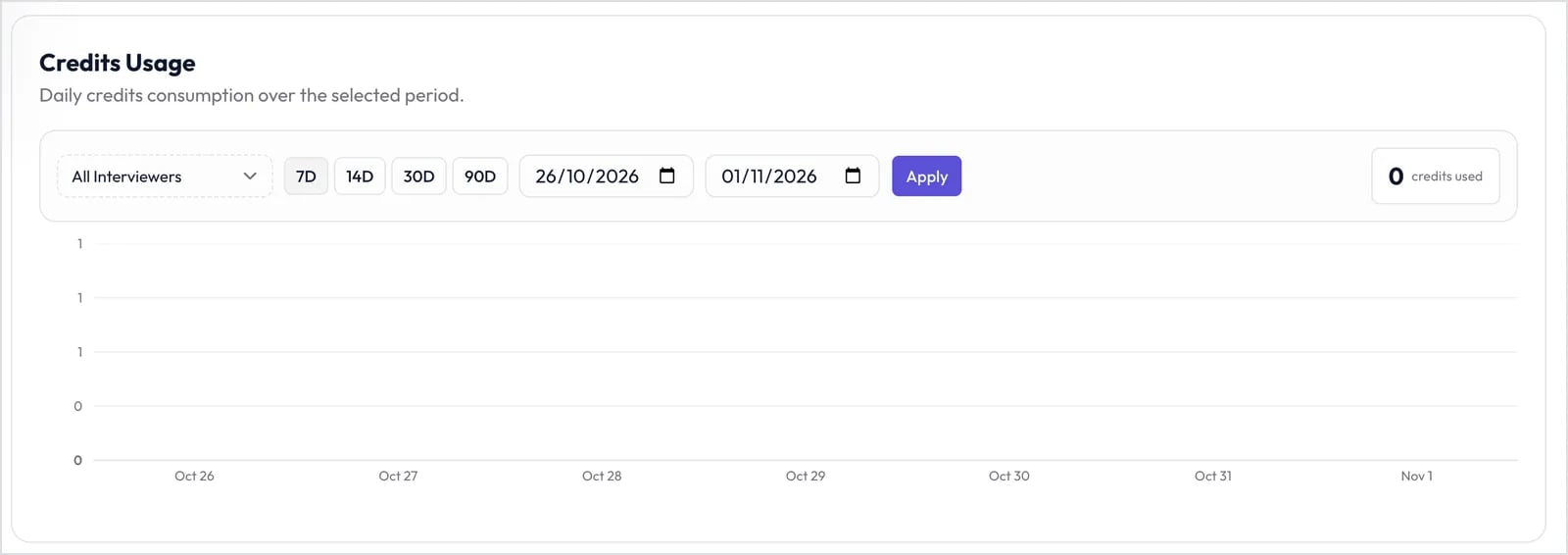
Credits Usage by day.