

Connect Greenhouse
Ask the person who manages Greenhouse integrations to help with setup. Prepare the InterviewFlowAI Interviewer you want Candidates to complete.- In InterviewFlowAI, open ATS & Integrations.
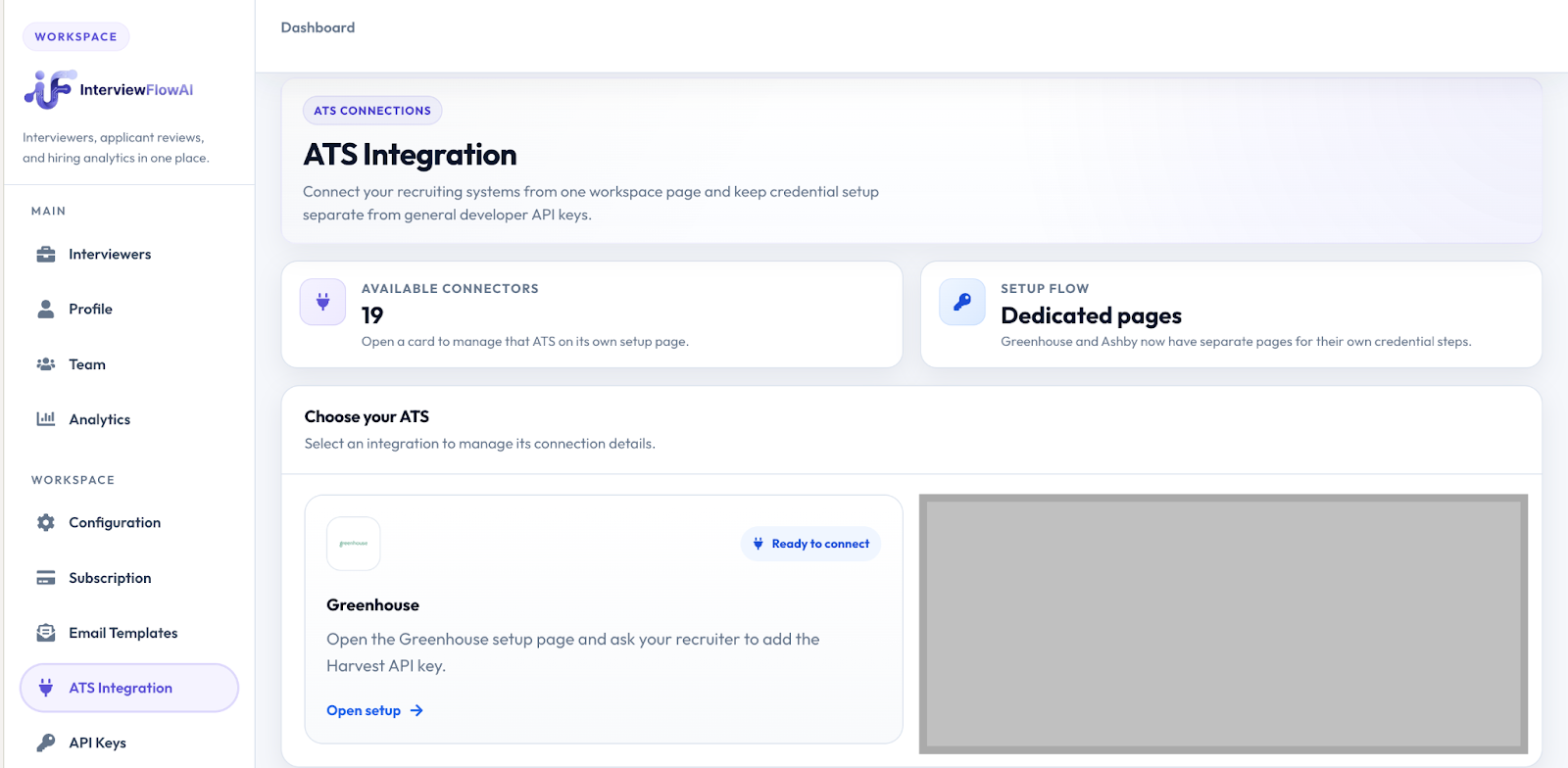
Open ATS & Integrations in InterviewFlowAI.
- Click Open setup on Greenhouse to retrieve your integration API key.
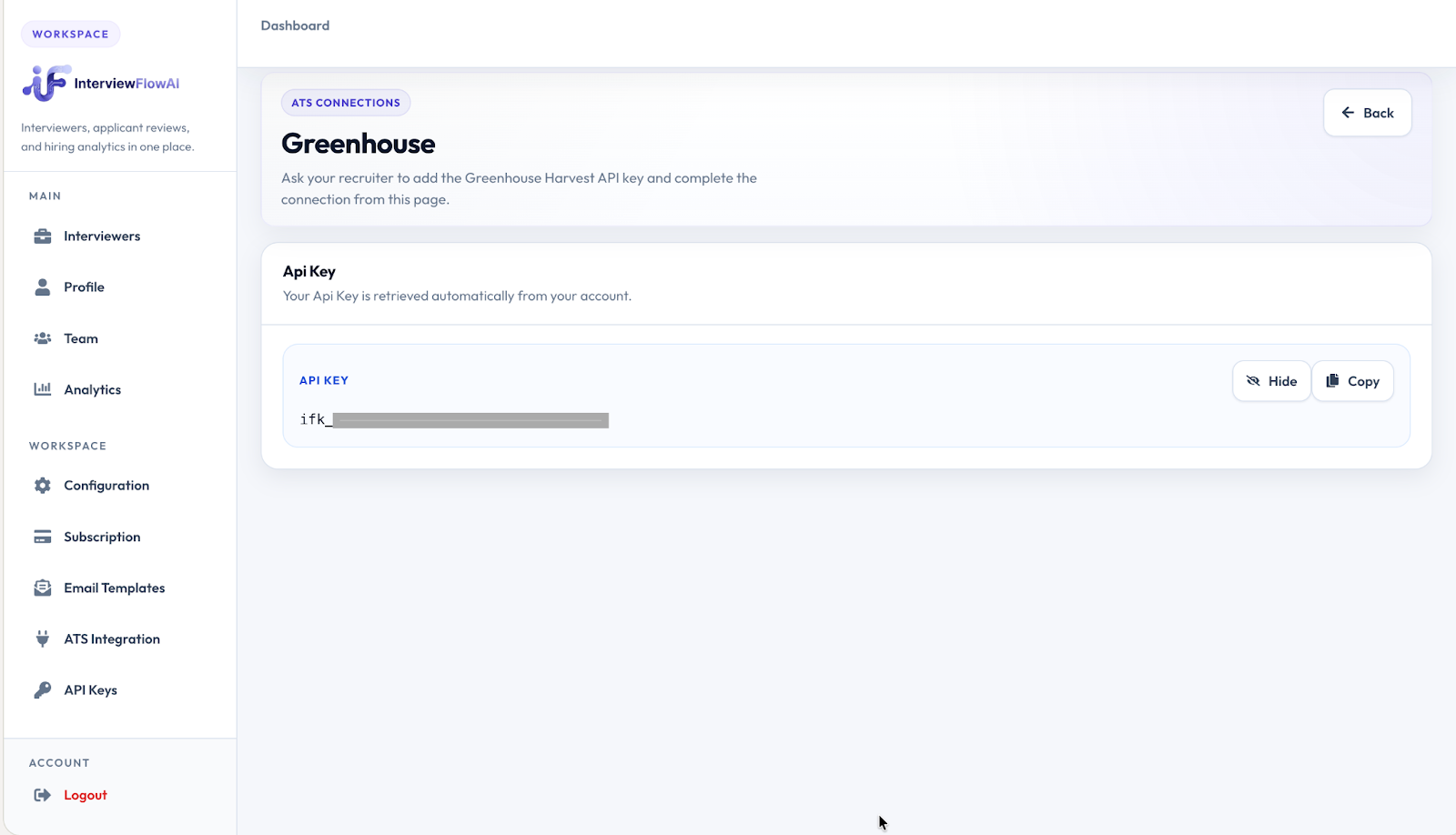
Open the Greenhouse connection setup.
- Follow Greenhouse’s assessment integration setup instructions to provide the key to Greenhouse technical support and enable the assessment stage.
- Add InterviewFlowAI to the relevant job’s interview plan in Greenhouse.
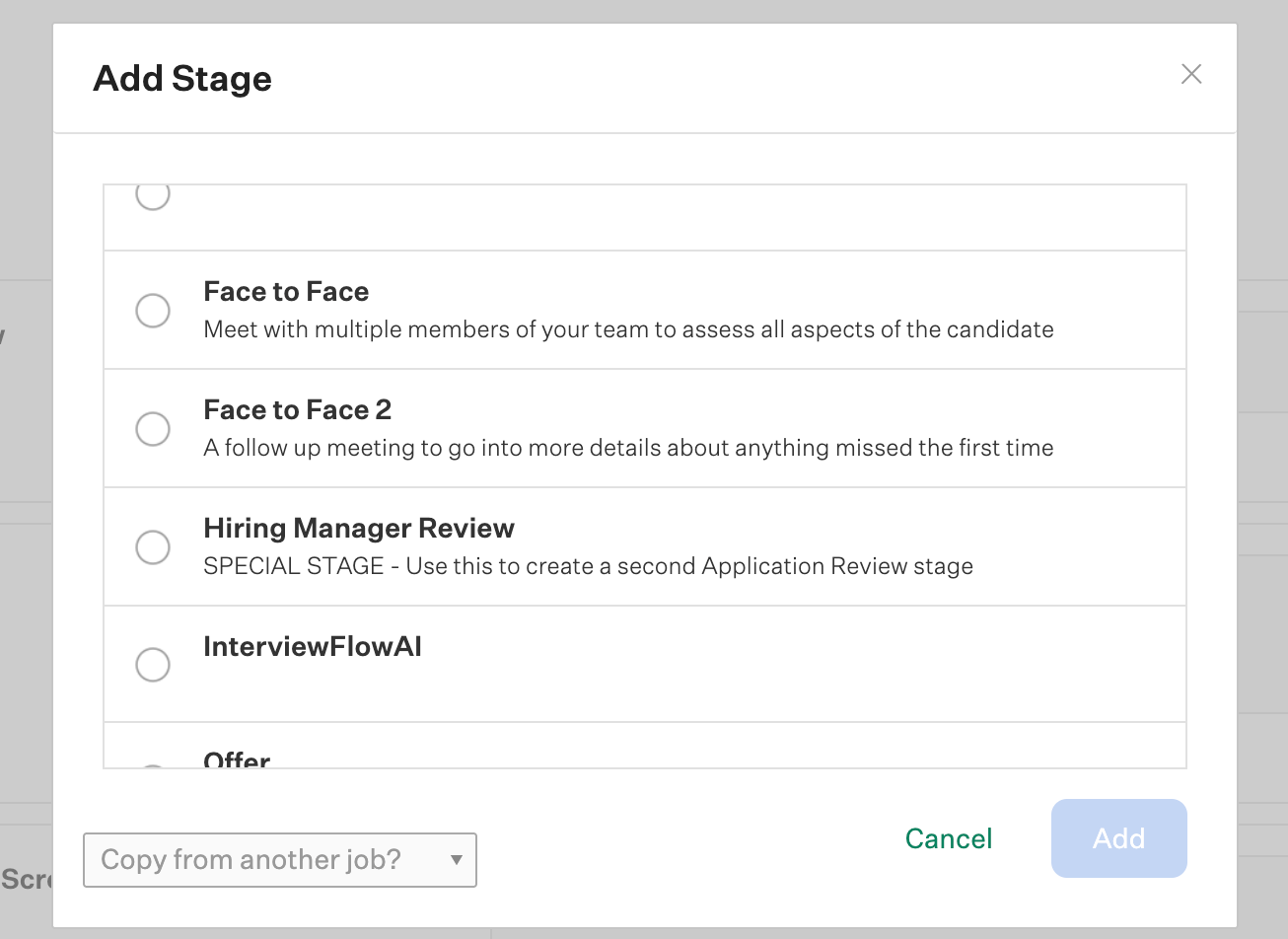
Add the InterviewFlowAI assessment stage to the interview plan.
Send an interview
- Open the Candidate’s InterviewFlowAI stage in Greenhouse.
- Click Send Test and choose the assessment. InterviewFlowAI sends the Candidate their interview instructions and access link.
- Monitor the assessment status in Greenhouse.
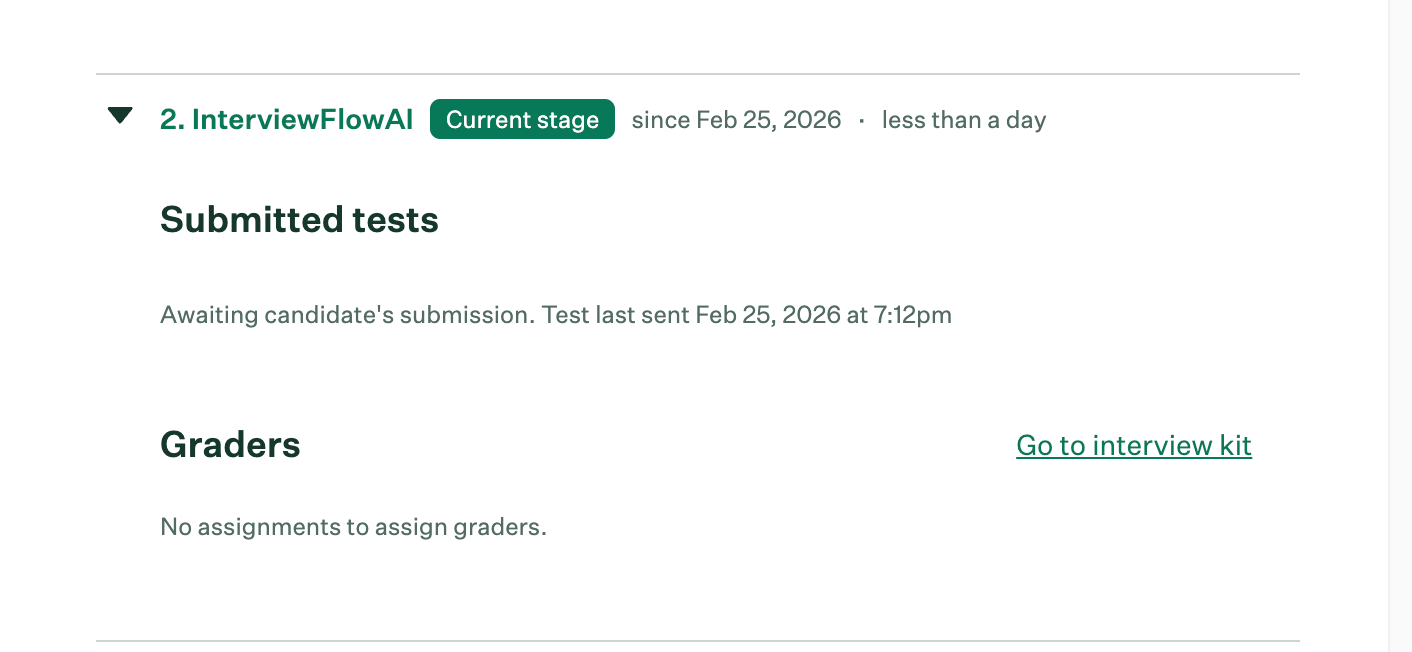
Track the assessment status in Greenhouse.