How Candidates arrive
- Your public link, career page, job seeker portal, website embed, or QR code opens the application page.
- An email after you add, import, or accept them opens their personal interview link.
1. The application page
The page shows the job title, the Job Overview, and the application form.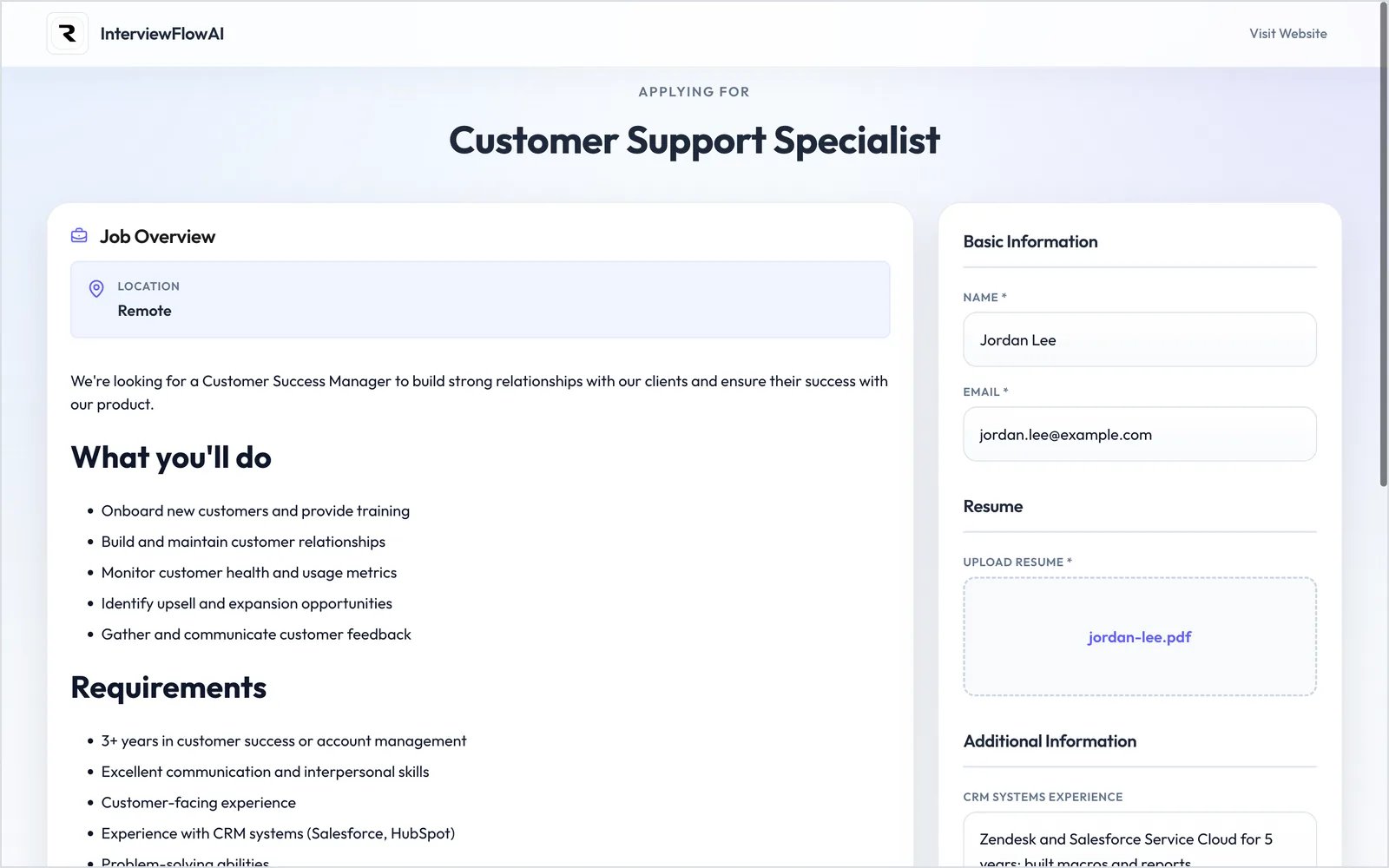
The application page, with the form on the right.
2. After applying
- Public Interviewer: Candidates who pass your screening go to the interview-ready screen.
- Private Interviewer: Candidates see “Application Received!” and wait until you accept them.
- Declined by screening: Candidates also see “Application Received!” They aren’t told on screen.
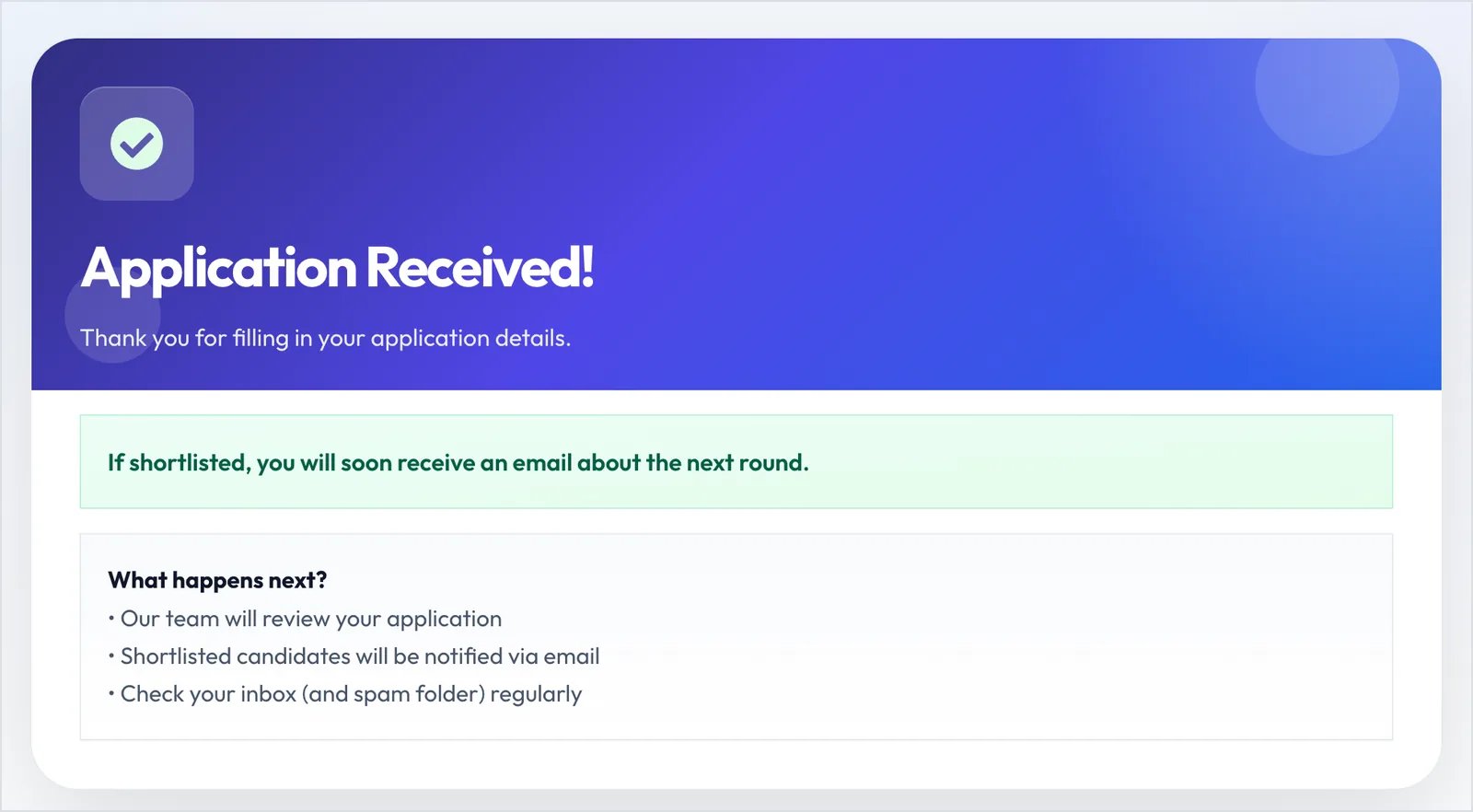
Application Received!
3. Ready for the interview
The personal link opens “Ready for Your Interview?” You can change this text in Settings → Interview redirect page.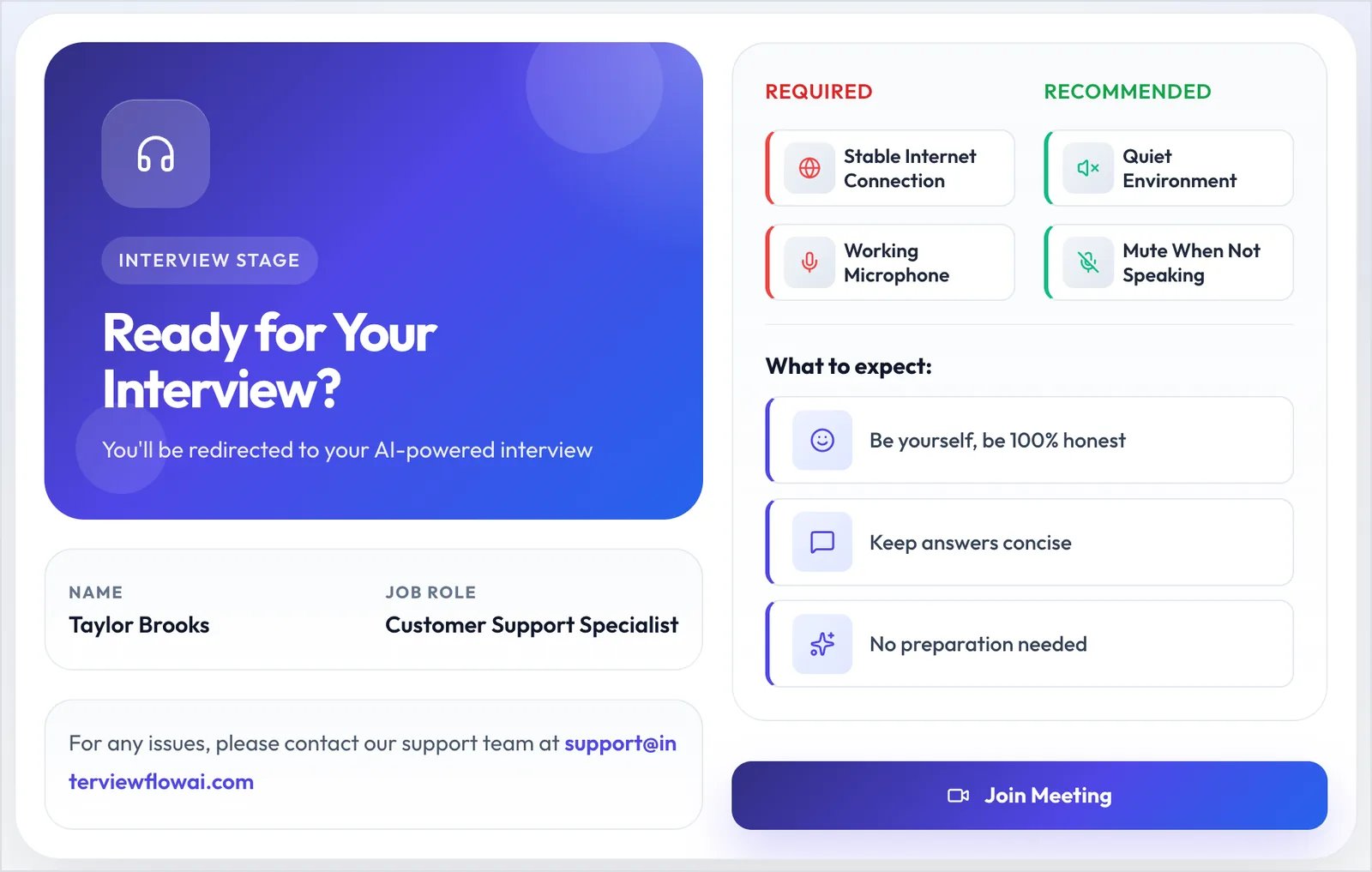
The interview-ready screen.
4. Interview guidelines
The Candidate reads the Interview Guidelines. The key rules are that the session is recorded and must be finished in one sitting. They tick the box and click Got it, let’s go.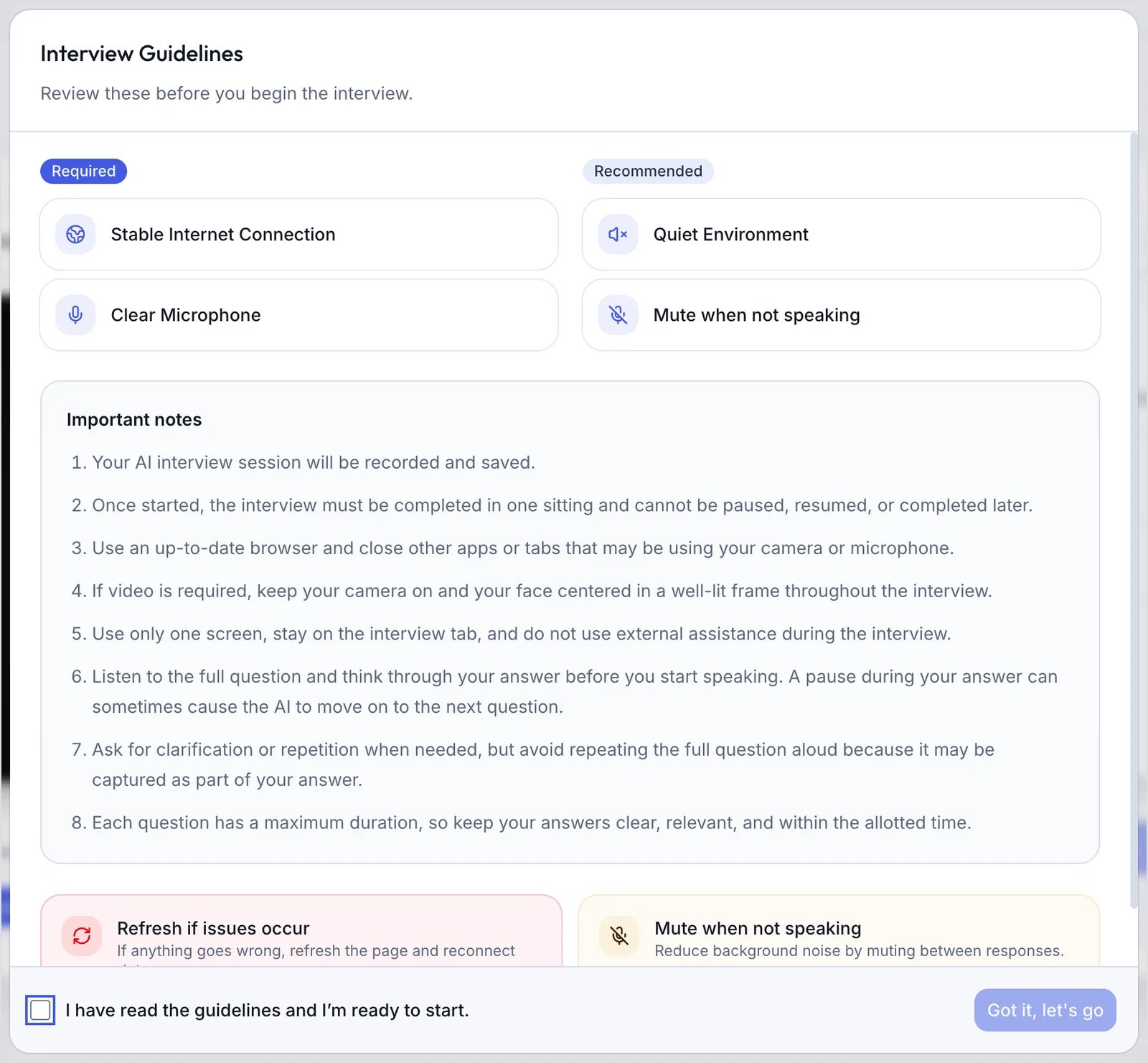
Interview Guidelines.
5. Equipment check
The Candidate tests their Camera, Microphone, and Speaker. When every required check passes, the button changes to Start Interview. They can also try Quick Practice (60s) first.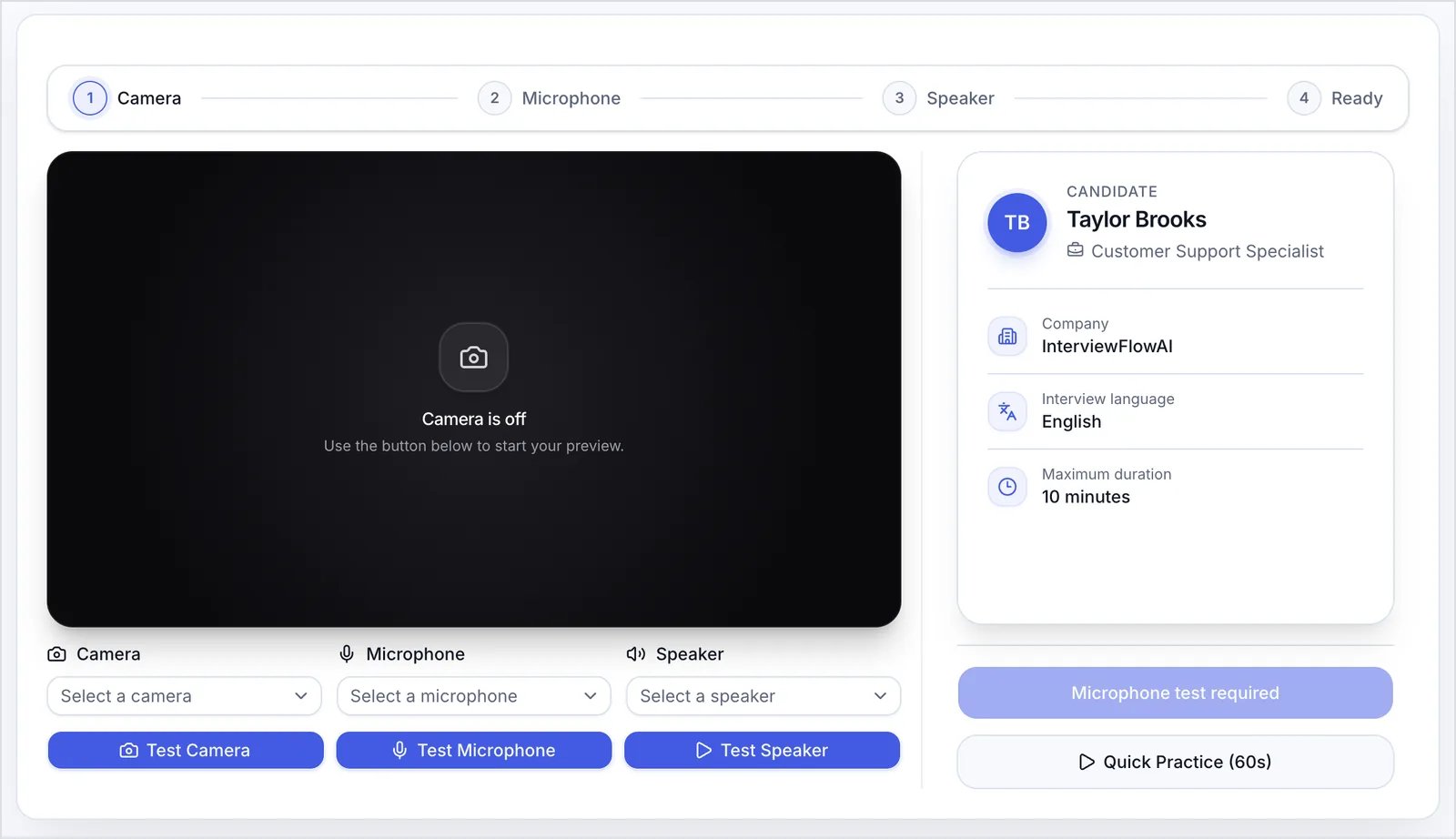
The equipment check.
- The browser isn’t supported.
- The Interviewer is Desktop only and the Candidate is on a phone or tablet.
- Proctoring is on, Block second screens is on, and the Candidate has more than one screen.
- Microphone access is blocked in the browser.
- Video required is on and camera access is blocked in the browser.
6. The interview
The AI greets the Candidate, asks your questions with follow-ups, answers questions about the role if you allowed it, and closes. During the call, the Candidate can mute and turn off the camera. If Show captions to candidates is on, they can also show captions. If the connection drops, they have 5 minutes to reconnect and resume.7. After the interview
The Candidate can answer any post-interview questions and rate the interview. If you set an Interview completion URL, they go to your page. Depending on your settings, they may also get a completion email or your coordinator scheduling link.Opening the link again
- After completing, the Candidate sees “Interview Already Completed”.
- After the link expires, they see “Interview Link Expired”. Links expire after 4 days by default. To fix it, use Change link expiry or Shortlist again on the Applicants tab.