

Only Owners can take the actions on this page. Viewers can see Candidates and reports but can’t change them.
Stages
Each Candidate sits in a stage, such as Applied, Shortlisted, Completed, or Expired. Stages for assessments and role plays appear when the Interviewer uses them. You can also see Incomplete, In Progress, Declined, and Opted Out when Candidates are in those states. Click a stage tab above the list to see only the Candidates in that stage.Move a Candidate to a custom stage
Use the stage selector on a Candidate’s row to move them to one of your custom stages. The selector becomes available once you add custom stages in Configuration.Accept or decline
Candidates who applied to a private Interviewer wait in Applied until you review them.- Click Accept to shortlist the Candidate and send the interview invite.
- Click Decline to turn the Candidate down.
Rate a Candidate
Give a Candidate a star rating from 1 to 5 on their row or in their report. You can clear the rating at any time. You can filter by starred Candidates with advanced filters.Row actions
Open the actions menu on a Candidate’s row to:- Copy Interview Link: Copy the Candidate’s interview link to share it yourself.
- Send Reminder Email: Remind a Candidate who hasn’t finished.
- Add to role play: Send the Candidate a role play.
- Edit: Update the Candidate’s details before they complete the interview.
- Reset Interview: Let a Candidate who completed the interview take it again. This can’t be undone.
- Delete: Remove the Candidate.
Bulk actions
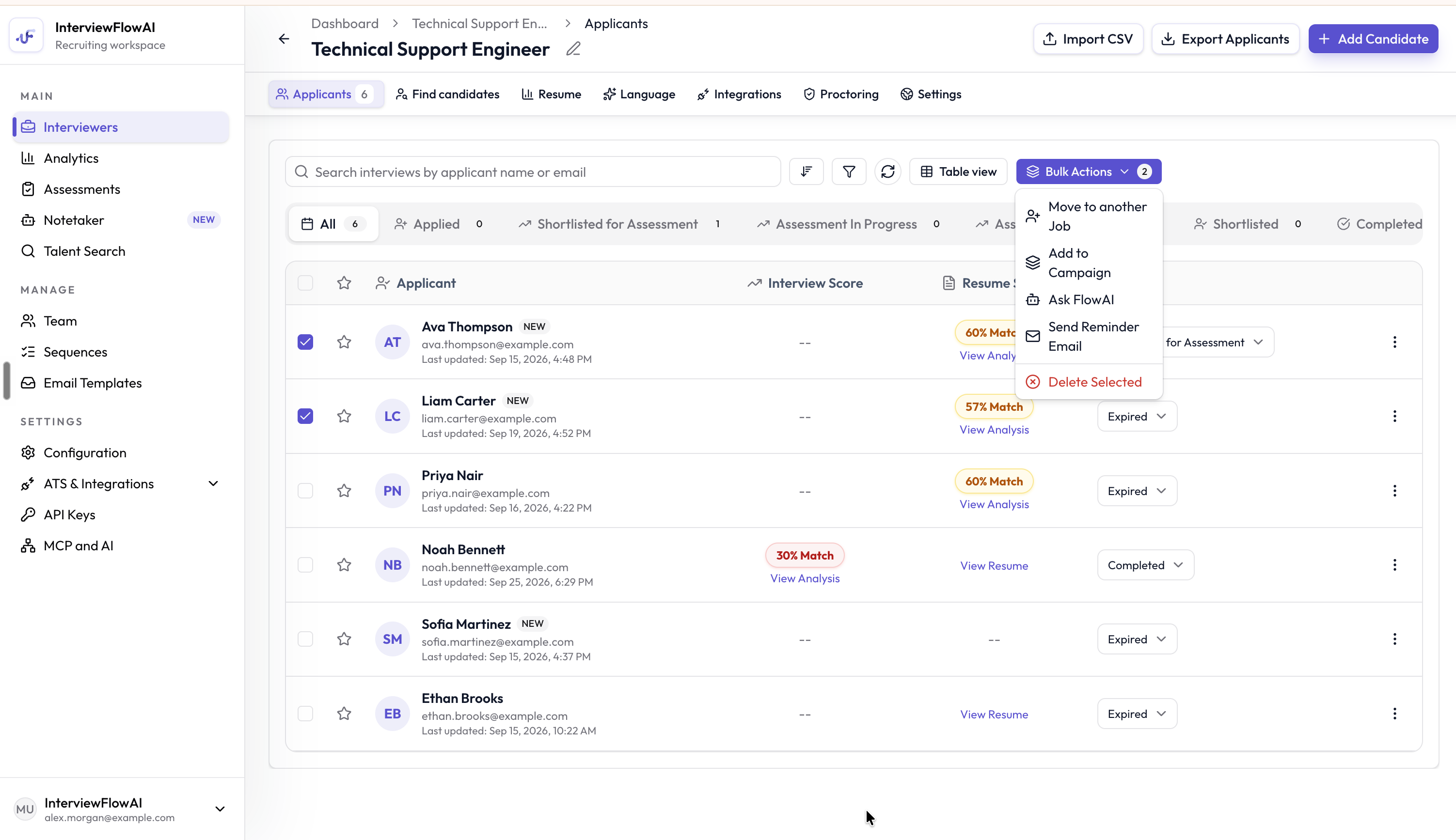
Select Candidates, then open Bulk Actions.
- Move to another Job: Add the Candidates to a different Interviewer. Choose Direct invite to invite them right away, or Just add to job to add them without sending the invite.
- Add to Campaign: Add the Candidates to an outreach campaign.
- Ask FlowAI: Ask the AI assistant about up to 10 Candidates. See Ask FlowAI.
- Send Reminder Email: Remind up to 100 Candidates at once.
- Add to role play: Send the Candidates a role play. See Invite and review role plays.
- Delete Selected: Remove the selected Candidates.