

Find an Interviewer
In the sidebar, click Interviewers.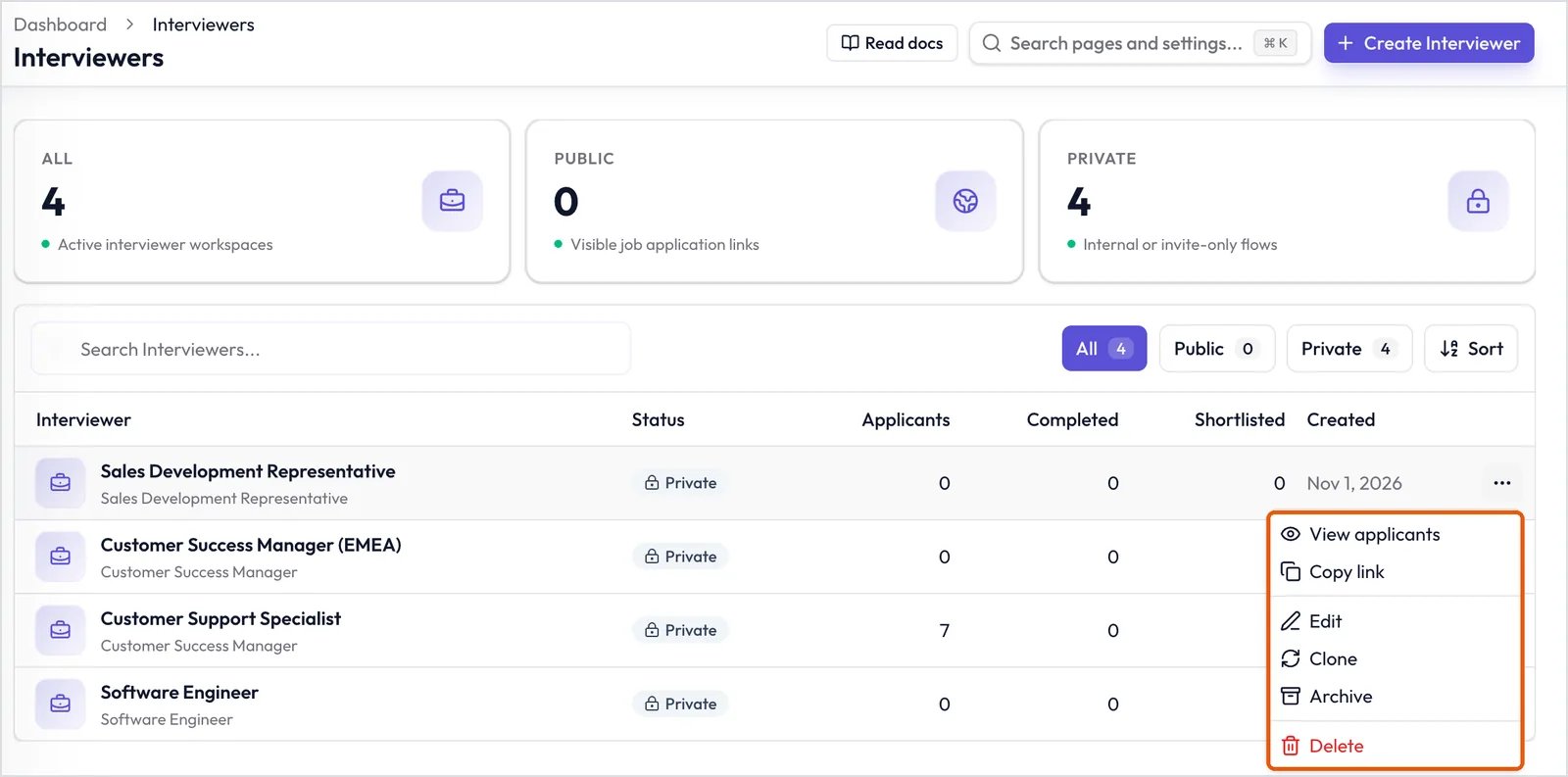
The Interviewers page, with the row menu open.
- Search Interviewers…: Find an Interviewer by name.
- All, Public, Private: Show only that type.
- Sort: Show the newest or oldest first.
Row actions
Click ⋯ at the end of a row:- View applicants: Open the Interviewer’s Candidates.
- Copy link: Copy the Interviewer’s public link.
- Edit: See Edit an Interviewer.
- Clone: Make a Private copy. The intro video isn’t copied.
- Archive: Stop accepting Candidates.
- Delete: Permanently remove the Interviewer and its interviews.
Inside an Interviewer
Click an Interviewer’s name to open it.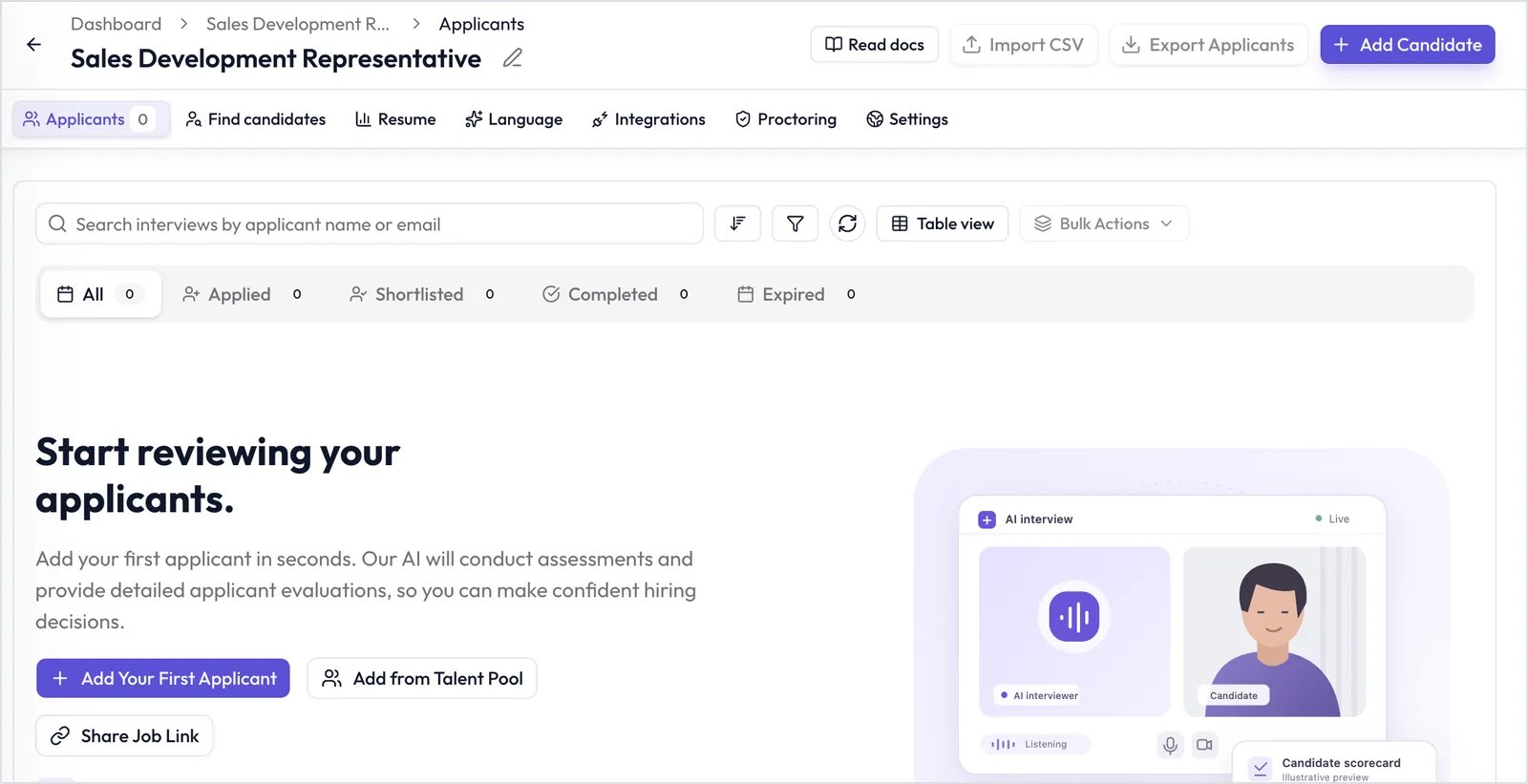
An Interviewer's header, tabs, and Applicants tab.
- Import CSV and Export Applicants: Growth and Scale plans.
- Add Candidate: Add Manually to invite one Candidate, or Add from Resumes to invite several from their resumes.
- Applicants: Every Candidate, with their stage and scores, in Table view or Kanban view.
- Find candidates: Share, embed, or import Candidates.
- Resume: Resume screening.
- Language: Language proficiency.
- Integrations: Connections to other tools.
- Proctoring: Cheating detection.
- Settings: Access, emails, and other options.